Table of Contents
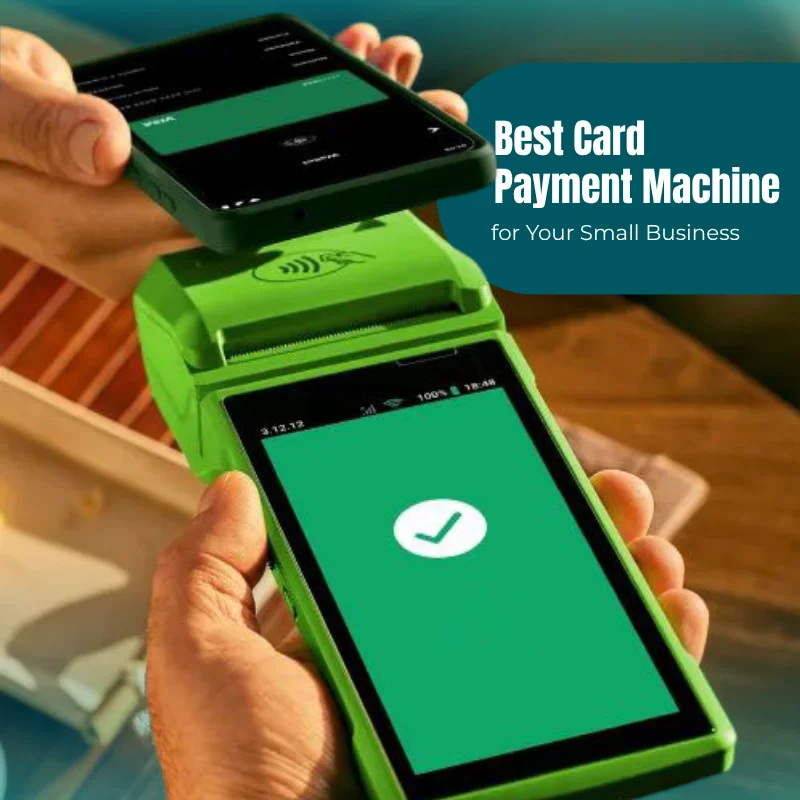
The card machine you pick affects three things every day: how fast you get paid, how much you lose to fees, and how smooth checkout feels for your customers. And the best option is rarely the cheapest one on paper. It’s the one that actually fits your turnover, your business type, and how you work day to day.
Card payments now make up over 85% of UK transactions, so accepting them isn’t really optional anymore for most businesses. The problem is there are dozens of providers, fee structures that are deliberately hard to compare, and contracts with exit fees that can run into hundreds of pounds. Get this wrong and it costs you real money.
This guide walks through it properly. Whether you’re running a café, a shop, a salon, or working on-site as a tradesperson, you’ll get a clear way to decide, honest cost comparisons, and recommendations written like a broker would give them, not like a provider trying to sell you their own box.
Quick Answer: Which Card Payment Machine Is Right for Your Business?
The short version: match the machine to your monthly turnover, your business type, and how mobile you need to be. The headline transaction rate matters far less than people assume.
At a glance:
| If you are… | Best machine type | Why |
| Market trader | Mobile card reader | Works on 4G, no Wi-Fi needed |
| Café or restaurant | Portable terminal | Table-side payments, fast checkout |
| Retail shop | Countertop or smart POS | High volume, stable connection |
| Tradesperson | Mobile card payment machine | On-site payments via 4G |
| Hair or beauty salon | Portable or mobile reader | Payments at the chair, flexible setup |
| Food truck or pop-up | Mobile terminal | Battery-powered, works outdoors |
| Healthcare clinic | Countertop or POS system | Reception-based, appointment billing |
Here’s the mistake we see most often: choosing purely on the lowest advertised transaction fee and ignoring the monthly cost, contract length, and how fast you get settled. A provider charging 1.2% plus a £20 monthly fee will often cost you more than one charging 1.75% with nothing fixed, if your card turnover sits under roughly £4,000 a month. The percentage on the leaflet isn’t the number that matters. The total bill is.
What Is a Card Payment Machine?
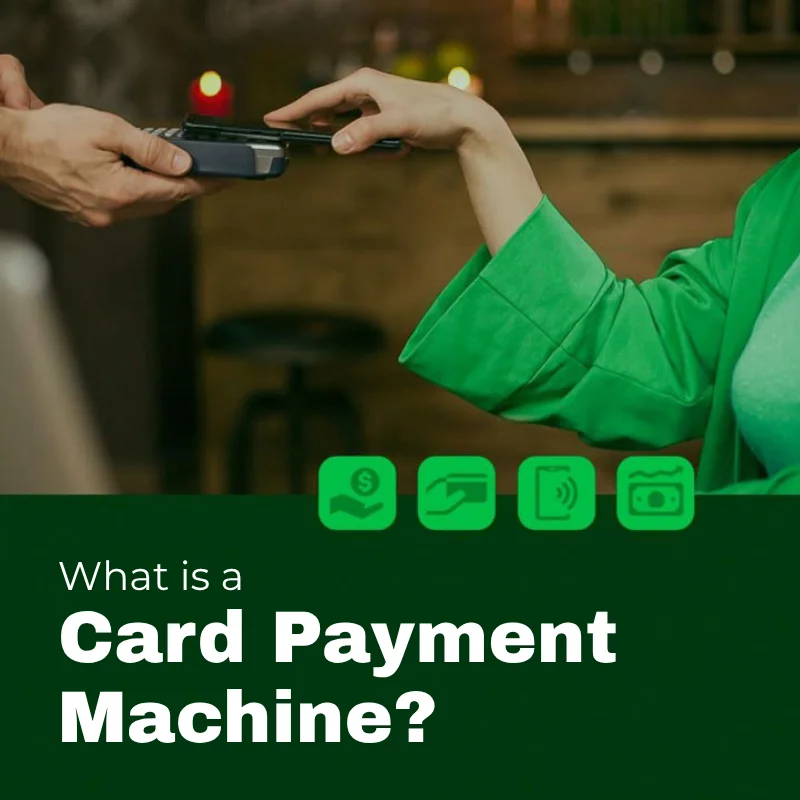
A card payment machine (also known as a card reader, PDQ machine, or payment terminal) is the device that lets you take payment from debit cards, credit cards, and digital wallets like Apple Pay or Google Pay. It encrypts the customer’s payment details, sends them off for authorisation, then deposits the money into your business account, usually within one to three working days.
In plain terms: it replaces handling cash, speeds up the queue, and gives customers the flexibility they now expect as a baseline, not a bonus.
How does a card payment machine work?
Each payment follows roughly the same sequence:
- The customer taps, inserts, or swipes their card or phone.
- The terminal encrypts the data and sends it off.
- The payment network (Visa, Mastercard) checks with the customer’s bank for authorisation.
- The bank approves or declines, usually in two or three seconds.
- Funds settle into your account, typically one to three working days later.
None of this stores sensitive card data on the machine itself. Every transaction runs under PCI DSS (Payment Card Industry Data Security Standard), the security framework that governs how card payments are handled globally.
What payment methods do modern card machines accept?
Most UK terminals now cover:
- Contactless – tap to pay, no PIN required under £100
- Chip and PIN – inserted card, four-digit PIN
- Apple Pay – iPhone and Apple Watch
- Google Pay – Android wallets
- Samsung Pay – Samsung devices
- Bank-app wallets – NFC payments through banking apps
Contactless-first setups are becoming the default in UK hospitality and retail simply because they cut queue time and make checkout feel faster, which matters more than people give it credit for during a rush.
Do you need a merchant account?
It depends on the provider, and the answer shapes both how fast you can get set up and what you’ll pay long term.
Traditional merchant account – a dedicated account through an acquiring bank. Suits established businesses with higher volumes. The application is more involved, but the rates negotiated tend to be lower.
Payment facilitator (PayFac) – providers like SumUp, Square, and Zettle group many merchants under one shared licence, so there’s no separate merchant account to apply for. You can be set up online the same day, which is why this route suits startups and lower-volume traders best.
Which is right for you?
- New or low-volume business → payment facilitator (SumUp, Square, Zettle)
- Processing £10,000+ a month → a traditional merchant account may bring your costs down over time
Types of Card Payment Machines
The type of machine you choose matters almost as much as which provider you pick. Each one is built around a different environment, level of mobility, and volume.
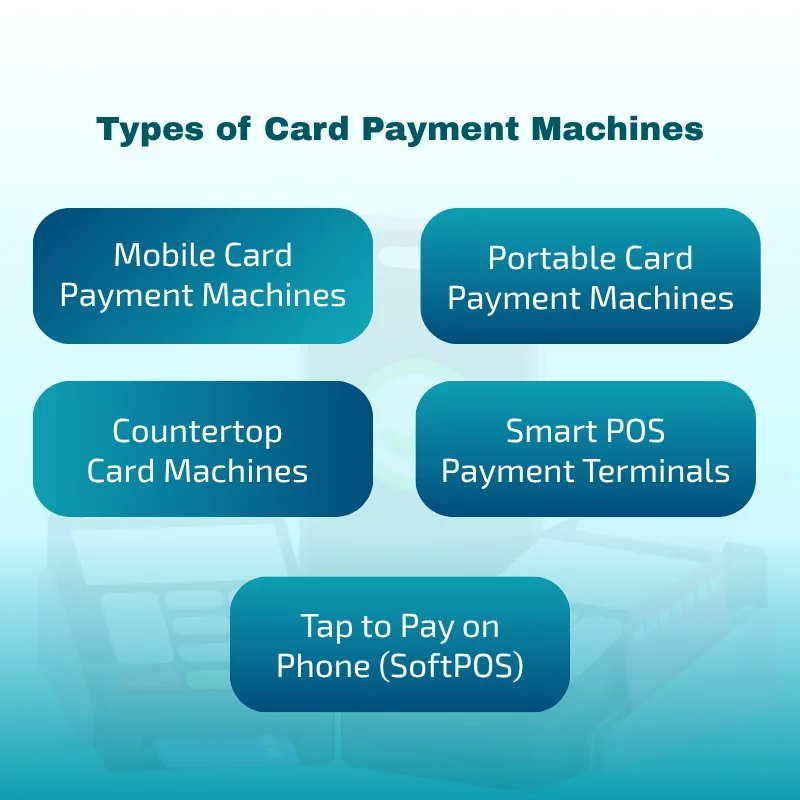
Mobile card payment machines
Best for: tradespeople, delivery services, market traders, mobile beauticians
These run on a built-in SIM and 4G connection, so they work wherever there’s mobile signal. No Wi-Fi needed.
Pros: doesn’t rely on Wi-Fi, works outdoors and on-site, quick to set up, light to carry
Cons: depends on signal strength, needs charging daily, sometimes carries a slightly higher fee depending on the provider
Picture a plumber finishing a job and taking payment right there on the doorstep. No invoice to chase later, no waiting around for a bank transfer. That immediacy is the whole point.
Portable card payment machines
Best for: cafés, restaurants, bars, hospitality
These connect over Wi-Fi or Bluetooth, so staff can carry the machine to the table instead of making customers come to a till.
Pros: great for table service, speeds up checkout, eases pressure during busy periods
Cons: needs stable in-premises Wi-Fi, battery drains over a long shift, limited range from the router
For restaurants especially, this small change in how payment happens tends to translate into faster table turnover and noticeably happier customers.
Countertop card machines
Best for: retail shops, pharmacies, reception desks, post offices
These are fixed in place, wired in via Ethernet or Wi-Fi. If you run a busy, fixed location where uptime matters more than mobility, this is the most dependable choice.
Pros: very stable, fast processing, low maintenance, holds up well under heavy till traffic
Cons: not portable, ties you to a single checkout point
Smart POS payment terminals
These combine card acceptance with a full point-of-sale system, usually a touchscreen, built-in receipt printer, stock tracking, and app integrations.
Worth paying extra for if you need:
- Real-time inventory tracking
- Staff sales reporting and access control
- Multi-location management
- Accounting integration (Xero, QuickBooks)
- Loyalty programme features
Yes, the upfront cost is higher. But for busy retail or hospitality businesses, it removes the need for separate till software entirely, which cuts down on manual admin more than people expect.
Tap to Pay on Phone (SoftPOS)
Worth knowing about even if you don’t go for it: SoftPOS turns an ordinary Android phone or iPhone into a contactless reader, no hardware at all. SumUp and Square both offer this in the UK now. It suits very low-volume traders, or anyone who just wants a no-hardware backup option in their pocket.
How to Choose the Best Card Machine: Step by Step
Step 1: Know your monthly card turnover
This single number decides which pricing model actually saves you money.
| Monthly card turnover | Recommended approach |
| Under £2,000 | Pay-as-you-go (SumUp, Square, Zettle), no monthly fees |
| £2,000–£10,000 | Compare hybrid models; short contracts may beat PAYG rates |
| £10,000+ | Negotiate through a broker or a traditional merchant account |
| £50,000+ | Bespoke interchange-plus pricing nearly always beats flat rates |
Step 2: Understand your transaction frequency
If you’re running a café and processing dozens of payments an hour, a slightly higher fee on a fast, reliable terminal is worth it. Speed during peak hours is worth more than shaving a fraction off your rate.
Step 3: Decide how mobile you need to be
- Fixed location, steady footfall → countertop or portable terminal
- Serving table to table → portable terminal
- Working at client sites or outdoors → mobile reader with a 4G SIM
Step 4: Work out total cost of ownership, not just the transaction fee
This is the step almost everyone skips, and the one most provider websites quietly make hard to do. Here’s everything that actually needs adding up:
| Cost component | What to check |
| Transaction fee | Percentage per transaction |
| Monthly fee or rental | Fixed cost regardless of volume |
| Hardware cost | One-off purchase or rental? |
| PCI compliance fee | Often £0–£15/month |
| Minimum monthly service charge | Kicks in if volume drops below a threshold |
| Early termination fee | Can run £150–£300 on standard contracts |
| Chargeback fee | Typically £10–£25 per dispute |
| SIM or data charges | Confirm whether 4G data is genuinely included |
| Paper roll costs | Small but ongoing |
| Authorisation fees | Some providers add a small per-transaction charge |
Step 5: Check the contract length and exit terms
UK regulation now caps card machine contracts at 18 months, though plenty of providers still default to 12-month minimum terms. Before you sign anything, ask:
- What’s the minimum contract length?
- What does it cost to leave early?
- Is there a rolling monthly option after the initial term ends?
- Is there a minimum monthly charge if my volume drops off?
Going pay-as-you-go costs a little more per transaction, but you get total flexibility in return, and for a growing or seasonal business that flexibility is often worth more than the fee you save.
Step 6: Settlement speed and your cash flow
Faster payouts free up working capital. It’s one of those things that doesn’t seem to matter much until cash flow gets tight, and then suddenly it’s the only thing that matters.
| Settlement speed | Providers (approximate) |
| Same-day or midnight | Zeller (to Zeller account), myPOS (to e-account) |
| Next working day | Dojo, SumUp (to SumUp account), Square, Takepayments |
| 1–3 working days | SumUp (to bank), Worldpay, most traditional providers |
Worth flagging: some providers settle instantly but only into their own account, meaning you still need to transfer it to your bank afterwards. Others pay straight into your bank. Check where the money actually lands first, and how quickly you can pull it out.
Step 7: POS and accounting integrations
Linking your terminal to your existing software saves a lot of manual entry and reduces bookkeeping errors. Worth checking for:
- Xero and QuickBooks for accounting
- Shopify, WooCommerce for ecommerce
- EPOS Now, Lightspeed for point-of-sale
- Square POS for retail and hospitality
Step 8: Customer support quality
A terminal going down during a Saturday rush costs you real money in the moment. Before signing, check:
- Is support available 24/7, or just on weekdays?
- Is there a replacement terminal guarantee?
- How quickly do they actually respond to faults?
- What do reviews say specifically about support, not just pricing?
Dojo and Worldpay consistently come out ahead on customer service among UK providers. SumUp and Square get mixed feedback on response times, particularly outside normal business hours.
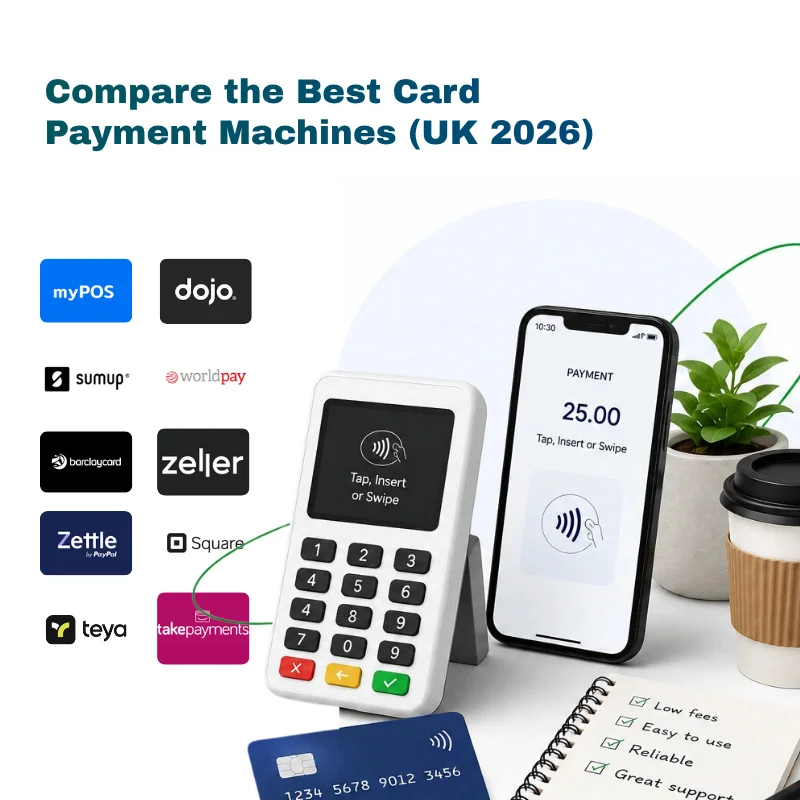
Compare the Best Card Payment Machines (UK 2026)
This reflects pricing verified directly against provider websites as of June 2026. Always double-check current rates before signing anything.
| Provider | Hardware cost | Monthly fee | Transaction fee | Contract | Settlement | Best for |
| SumUp | From £25 | £0 (or £19 for Payments Plus) | 1.69% (or 0.99% on Plus) | None | 1–3 days (bank) / next day (SumUp account) | Startups, mobile traders, low volume |
| Square | From £19 | £0 | 1.75% | None | 1–2 days | Restaurants, retail, EPOS-heavy users |
| Dojo | From £179 | From £15/mo | £39.99/mo (Fix) or custom (Flex) | Monthly or 12-month | Next day | Cafés, hospitality, £10k+/month |
| Takepayments | Rental only | From £7.50/mo | Custom (0.3%–2.5%) | 1–12 months | Next day | £2,000+/month, service businesses |
| Worldpay | Rental only | From £17.50/mo | Custom (from 1.5%) | 18 months | 1–3 days | £20k+/month, established SMEs |
| myPOS | From £29 | None | From 1.1% + 7p | None | Instant (to myPOS account) | Cross-border, EU businesses |
| Zettle (PayPal) | From £29 | None | 1.75% | None | 1–2 days | PayPal users, retail, hospitality |
| Zeller | From £99 | None | From 1.3% (UK cards) | None | Same night (Zeller account) | Lowest UK pay-as-you-go rate |
| Teya | From £69 | £0–£39 | 0.5%–1.9% | None | Next day | Local SMEs, hospitality |
| Barclaycard | Rental only | From £15/mo | Custom | 12–18 months | 1–3 days | Existing Barclays business customers |
Why the lowest transaction fee isn’t always the cheapest deal
This trips people up more than anything else when comparing card machines.
Example:
- Provider A: 0.99% fee + £19/month
- Provider B: 1.69% fee + £0/month
At £2,000 a month in card turnover:
- Provider A: £19.80 in fees + £19 fixed = £38.80 total
- Provider B: £33.80 in fees + £0 fixed = £33.80 total
Provider B wins, despite the higher percentage. The crossover point, where Provider A starts to pull ahead, is roughly £2,714 a month in turnover.
This is exactly why running the actual numbers across multiple providers at your real volume beats just picking whoever advertises the lowest rate.
How Much Does a Card Payment Machine Cost? (Real UK Figures, 2026)
One-off hardware purchase
| Machine type | Typical price range |
| Basic mobile reader (app-dependent) | £19–£29 |
| Standalone mobile reader (built-in SIM) | £75–£100 |
| Portable terminal with printer | £100–£180 |
| Smart POS terminal | £150–£300+ |
Monthly rental costs
Some providers rent the hardware instead of selling it outright:
- Entry-level terminal: £7.50–£17.50/month
- Mid-range terminal: £20–£25/month
- Smart POS terminal: £25–£40/month
Rental usually covers maintenance and replacement too, which takes the sting out of an unexpected hardware failure.
Transaction fees in context: what you’d actually pay over a year
Rather than just quoting percentages, here’s what four common turnover levels translate to annually, using a standard PAYG rate of 1.69%:
| Monthly card turnover | Annual fees (at 1.69%) | Annual fees (at 1.75%) |
| £1,500/month | £304 | £315 |
| £5,000/month | £1,014 | £1,050 |
| £15,000/month | £3,042 | £3,150 |
| £50,000/month | £10,140 | £10,500 |
At £50,000 a month, negotiating down to 0.75% through a merchant account saves over £5,700 a year compared with a flat 1.69%. This is where negotiating a bespoke rate stops being a nice-to-have and starts being the obvious move.
Hidden Costs to Watch Out For
Most comparison pages only show the headline rate. These are the charges that catch UK businesses out time and again:
PCI compliance fees – many traditional providers charge for annual security compliance, usually £5–£15/month. SumUp and Square build this into their pricing already.
Minimum monthly service charges – if your turnover dips below an agreed threshold, some providers top up the difference automatically. Always ask for the exact figure before signing.
Early termination fees – cancelling a 12-month Dojo Fix contract in month one could cost you the entire remaining contract value. Worldpay’s standard contracts run £150–£300 depending on how much term is left.
Chargeback fees – when a customer disputes a payment, expect a fee of £10–£25 per case regardless of how it’s resolved. If you handle a lot of refunds, factor this in properly.
Non-UK card surcharges – Square charges 4% on non-UK cards versus 1.75% on UK ones. If you serve tourists or overseas visitors regularly, this adds up fast.
SIM and data charges – some mobile readers advertise 4G but bill separately for data. SumUp Solo and Terminal include unlimited 4G in the device price, so check this carefully before assuming it’s covered.
The settlement-account trap – providers like myPOS and Zettle pay into their own e-wallet first, meaning there’s an extra step (and sometimes a fee) to move the money into your actual bank account.
Should You Rent or Buy a Card Machine?
| Buy | Rent | |
| Upfront cost | Higher | Lower |
| Long-term cost | Lower | Higher |
| Hardware replacement | Your responsibility | Often included |
| Flexibility | High | Depends on contract |
| Best for | Stable, growing businesses | Startups, seasonal traders |
Our take, by stage of business:
- Just starting out, or seasonal: buy pay-as-you-go (SumUp, Square) or rent short term. Keeps you flexible without locking you in.
- Steady volume, £2k–£10k a month: a short rental contract or hybrid model often beats PAYG on rate.
- High-volume, £10k+ a month: buying outright or negotiating a bespoke contract through a broker is usually the cheapest path over a year.
Best Card Payment Machines by Business Type
Retail shops
Best choice: countertop terminal or smart POS
Retail needs reliability at peak times and inventory that talks to your till. Smart POS systems from Square or Takepayments plug straight into stock management and accounting, cutting out a lot of manual admin. For higher-volume retailers, a negotiated rate through a broker almost always beats the advertised flat rate.
Cafés and restaurants
Best choice: portable card machine or smart POS
Table-side payment is expected now, not a nice extra. Portable terminals from Dojo, SumUp, or Square let staff take payment right at the table instead of queuing customers at a till. For busier restaurants, Dojo’s next-day settlement and solid uptime tend to justify the monthly cost.
Hair and beauty salons
Best choice: portable or mobile reader
Appointment-based businesses do well with machines that move between stations. A portable reader with decent Wi-Fi suits a fixed salon; mobile readers suit therapists who travel to clients. Square’s salon-specific features, booking, client notes, tip prompts, add real value beyond just taking payment.
Tradespeople (plumbers, electricians, builders)
Best choice: mobile card machine with a 4G SIM
Getting paid on-site the moment the job’s done means no invoice chasing and noticeably better cash flow. SumUp Solo or a Square Reader paired with a phone both do the job well. The one non-negotiable is independent 4G; a Wi-Fi-dependent reader just won’t work on most jobs.
Market traders and food trucks
Best choice: battery-powered mobile reader
Outdoor trading needs solid battery life and dependable 4G. SumUp Solo (up to 8 hours of battery) and myPOS Go both hold up well outdoors. Make sure unlimited data is built into the price rather than billed on top.
Mobile service businesses
Best choice: lightweight mobile reader, or Tap to Pay on Phone
Dog groomers, personal trainers, photographers, delivery drivers, portability beats everything else here. SumUp Air or Solo Lite with the app gives you a compact setup. Tap to Pay on iPhone (Square) or Android skips hardware entirely if your volume is genuinely low.
Healthcare clinics
Best choice: countertop or smart POS with reception integration
Clinics benefit from terminals that tie into appointment and billing systems. Worldpay and Takepayments both integrate with healthcare management software. Stable Ethernet and printed receipts are still standard expectations here.
Questions to Ask Before Signing Any Card Machine Contract
✓ What’s my total monthly cost at my actual turnover, not the advertised rate?
✓ What’s the minimum contract length, and what does it cost to exit early?
✓ Is there a minimum monthly charge if my volume drops?
✓ Is PCI compliance included, or billed separately?
✓ What’s the chargeback fee, and how does the dispute process work?
✓ How long does settlement take, and where does the money land first?
✓ Is 4G data genuinely included, or charged on top?
✓ What does it cost to replace a lost or damaged terminal?
✓ Is support available 24/7, or only during office hours?
✓ Does this integrate with the accounting or EPOS software I already use?
Why Using a Card Machine Broker Saves Money
A provider’s website can only ever promote its own product. A broker looks across the whole market, including rates that never get advertised publicly and only show up once you negotiate.
What a broker can do that a provider’s sales page can’t:
- Model your real total cost across several providers at your actual volume
- Negotiate rates based on your specific turnover and card mix
- Point you toward the provider that genuinely suits your industry
- Flag hidden fees before you sign, not after
- Handle the switching process if you’re already locked into a contract
For anyone processing over £5,000 a month, the gap between an advertised rate and a properly negotiated one can mean hundreds of pounds saved each year. At £15,000 a month, moving from 1.69% down to a negotiated 0.75% saves over £1,700 annually, which is far more than any broker fee would cost you.
Frequently Asked Questions
What is the best card payment machine for a small business?
For most UK small businesses, a pay-as-you-go provider like SumUp or Square is the sensible starting point: low upfront cost, no contract, simple pricing. Once you’re processing over £5,000 a month, comparing negotiated rates through a broker tends to pay off.
How much does a card payment machine cost in the UK?
Hardware ranges from £19 (Square Reader) up to £300+ for a smart POS terminal. Transaction fees run from 0.99% to 1.75% on pay-as-you-go, and from as low as 0.3% on negotiated contracts. Always work out your total monthly cost, not just the headline percentage.
Why do card machine fees vary between providers?
It comes down to your transaction volume, card type (debit, credit, Amex), risk profile, whether you’re with a merchant account or a payment facilitator, and whether the rate is fixed or negotiated. Amex and non-UK cards almost always cost more.
Do I need a merchant account?
Not necessarily. Payment facilitators like SumUp, Square, and Zettle let you accept cards without one. Traditional merchant accounts offer better rates at higher volumes but need a more thorough application.
Is it cheaper to buy or rent a card machine?
Buying works out cheaper for most businesses over time. Renting suits startups, seasonal trading, or anyone who’d rather the provider handle hardware replacement.
Final Recommendation
The right card machine isn’t the one with the lowest fee on the page, it’s the one with the lowest total cost for your actual volume, business type, and how you operate day to day.
If you’re just starting out, a pay-as-you-go reader from SumUp or Square keeps things predictable with minimal commitment. Once your turnover passes £5,000, and then £10,000, comparing negotiated rates across providers will almost always beat sticking with whatever you signed up for first.
Before you commit to anyone, run your total monthly cost at your real volume, read the exit terms properly, and compare at least three providers side by side.
Compare Card Machine Quotes
As an independent card machine broker, we compare fees, contracts, and features across the whole UK market, not just one provider’s own product range. Get quotes tailored to your actual business volume and find the most cost-effective setup available to you right now.