Table of Contents
A card machine with long battery life sounds straightforward until you try to compare one terminal with another.
One provider may advertise 10 hours of runtime. Another may claim 1,000 transactions per charge. A third may publish 15 days of standby time, while another simply lists a large battery capacity in mAh.
Those figures are not interchangeable.
For most businesses, the right card machine is one that can comfortably cover the normal working period with some reserve under the way the terminal is actually used. That means considering transaction volume, screen activity, Wi-Fi or 4G connectivity, receipt printing, smartphone dependency, charging breaks and the condition of the battery itself.
This guide explains how to compare card machine battery specifications properly and how to choose a terminal based on your real working day rather than the biggest number on a product page.
How Long Should a Card Machine Battery Last?
A portable card machine should ideally last through your normal trading period with enough reserve to avoid running flat during a busy period. For many businesses, that means covering a full shift. However, battery claims are measured differently, so an eight-hour runtime, 1,000 transactions per charge and “all-day battery” cannot be compared directly without understanding how the terminal is used.
What Does “Long Battery Life” Actually Mean for a Card Machine?
Battery specifications become useful only when you know what has actually been measured.
There are four common ways card machine battery performance is presented.
Battery life measured in hours
This is the easiest figure to understand.
Examples might include:
- up to 8 hours
- up to 10 hours
- up to 12 hours
As of October 2026, Dojo publishes up to 10 hours for the Go Max, Tyl publishes up to 8 hours for its PAX A50, and Payee Solutions currently publishes up to 12 hours for its portable terminal.
Hours are useful for shift planning, but “up to” is important.
Actual runtime can vary with:
- transaction activity
- screen brightness
- wireless connectivity
- receipt printing
- software use
- battery condition
- temperature
- charging history
A published maximum is therefore not a guarantee that every merchant will achieve exactly that runtime.
Transactions per charge
Some manufacturers describe battery performance by the number of transactions instead.
SumUp currently publishes:
- Solo Lite: 1,000 transactions
- Solo: 300 transactions
- Terminal: 250 transactions, including receipt printing
per charge.
myPOS Flex currently publishes 550+ transactions per charge, while also stating more than 24 hours of standby battery.
Transaction-count figures can be useful for high-volume businesses, but they answer a different question from runtime in hours.
A terminal could potentially process hundreds of transactions in a short, intense trading period while another business uses the same device intermittently for 12 hours.
Standby time
Standby measures low-activity operation.
It should never be confused with continuous active use.
For example, myPOS Ultra currently publishes 15+ days of standby and more than 1,500 receipt prints from its battery. That does not mean the terminal can actively process and print payments continuously for 15 days without charging.
Standby can still matter for businesses that use terminals intermittently, but it is a poor metric for comparing full-day active trading.
Battery capacity in mAh
Battery specifications may also be expressed in milliamp-hours (mAh).
For example, Dojo lists a 2500mAh battery in the Go Max, while myPOS Ultra lists a 3050mAh lithium-polymer battery.
mAh measures electrical charge capacity.
It does not directly tell you how many hours a terminal will operate.
Actual runtime also depends on:
- battery voltage
- display
- processor
- printer
- mobile radio
- Wi-Fi
- software
- device efficiency
A larger mAh figure is therefore not automatically proof of a longer working day.
What does “all-day battery” actually mean?
Several providers use “all-day” language.
Square currently describes Square Terminal as having a battery “designed to last all day”, while SumUp also says its readers are intended to cover a full working day.
This is useful as a high-level product description, but “all day” is not a standard unit of measurement.
A café open from 7am until 4pm and a festival vendor working from 9am until midnight do not have the same “day”.
The safest approach is to look for a measurable figure and then compare it with your own operating pattern.
The Five-Part Card Machine Battery Test
Instead of choosing a terminal from one headline specification, evaluate it through five questions.
| Factor | Question to ask |
| Runtime | How is the battery claim actually measured? |
| Workload | How many payments and printed receipts will the machine handle? |
| Connection | Does it use Wi-Fi, 4G, Bluetooth or another device? |
| Recharge | How quickly and conveniently can it be recharged? |
| Resilience | What happens when battery performance declines or charge runs low? |
This is a practical decision framework rather than an industry standard.
How to use the five-part test
Imagine two businesses.
A restaurant needs portable terminals during:
12pm–3pm lunch service
and
5pm–11pm dinner service
There is a two-hour period when the terminals can sit in charging docks.
An outdoor market trader, by contrast, may operate continuously for nine hours with:
- no plug socket
- built-in 4G
- weak signal in parts of the venue
- heavy contactless use
The restaurant might be perfectly comfortable with a shorter published battery runtime because it has predictable charging opportunities.
The market trader may value uninterrupted active runtime and backup power much more highly.
The important question is therefore not:
Which card machine has the biggest battery number?
It is:
Which battery setup fits the way this business actually operates?
Hours vs Transactions vs Standby: Which Battery Metric Is Best?
No single battery metric is best for every merchant.
| Metric | Most useful for | Main limitation |
| Runtime in hours | Planning a working shift | Usage conditions affect runtime |
| Transactions per charge | High transaction volumes | Testing conditions may differ |
| Standby time | Low-activity/intermittent use | Does not represent active trading |
| mAh capacity | Technical specification comparison | Does not establish real-world runtime |
| “All-day” wording | Initial product screening | Not a precise measurement |
Which metric should your business prioritise?
Restaurants should generally focus on active hours, service periods and charging gaps.
Market traders need to consider trading duration plus connectivity and access to backup power.
High-volume event sellers may benefit from transaction-count data alongside active runtime.
Mobile tradespeople may have long working days but relatively few payments, making standby behaviour and recharge convenience more relevant.
That is why battery specifications need context.
Card Machine Battery Life Comparison: Current UK Product Claims
The table below uses current official provider/manufacturer information checked in October 2026.
These are published claims, not independent battery tests.
| Terminal | Published battery claim | Measurement type | Printer | Connection/setup |
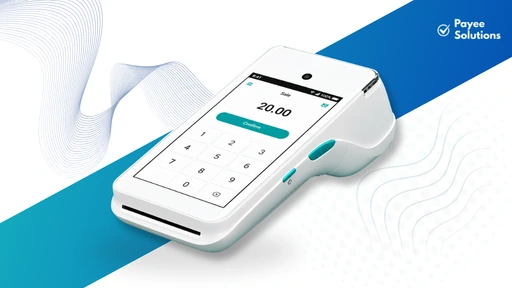
| Payee portable terminal | Up to 12 hours | Runtime | Model-dependent / verify | Bluetooth-connected portable terminal |
| Payee market-trader reader | 8+ hours active use | Runtime | Digital receipts | Built-in 4G SIM |
| Dojo Go Max | Up to 10 hours | Runtime | Built-in printer | Wi-Fi + 4G |
| Tyl PAX A50 | Up to 8 hours | Runtime | Digital receipts | Wi-Fi + 3G/4G + Bluetooth |
| SumUp Solo Lite | Up to 1,000 transactions | Transactions | Separate printer support | Bluetooth smartphone connection |
| SumUp Terminal | 250 transactions incl. receipt printing; another current SumUp page lists up to 14 hours | Transactions + runtime | Built-in printer | Wi-Fi + built-in 4G |
| myPOS Flex | 550+ transactions; 24+ hours standby | Transactions + standby | Digital receipts | Built-in 4G + Wi-Fi |
| Square Terminal | “Designed to last all day” | Manufacturer wording | Built-in printer | Wi-Fi; Ethernet via optional hub |
Official sources currently support these specifications.
Why this table does not name a battery-life winner
Because these manufacturers are not all measuring the same thing.
For example:
12 hours
cannot be directly ranked against:
1,000 transactions
which cannot be directly ranked against:
24 hours standby
which cannot be directly ranked against:
“all day”.
Even within one provider, different pages may describe the same or related devices using different metrics.
SumUp currently describes Solo Lite as handling 1,000 transactions on one charge, while another current product page describes its battery as lasting up to 12 hours.
That does not mean either figure is necessarily wrong.
It demonstrates why merchants should understand what each specification means before comparing terminals.
What Actually Drains a Card Machine Battery?
A battery specification is only one part of the real-world result.
Transaction volume
Each transaction wakes the device, activates communication and usually keeps the screen active.
A terminal processing transactions continuously during a lunch rush will have a different workload from one taking six payments across an entire day.
Screen brightness and screen-on time
Modern Android-style payment terminals often use relatively large touchscreens.
Higher brightness and longer active screen time consume more energy.
A device sitting idle for much of the day can therefore behave differently from the same machine being passed from customer to customer continuously.
4G and mobile connectivity
Cellular connectivity consumes power because the device must maintain communication with a mobile network.
The impact depends on the terminal and network conditions.
Weak signal strength
A weak or unstable mobile signal can make maintaining connectivity more demanding.
That is particularly relevant for:
- markets
- festivals
- rural businesses
- delivery drivers
- tradespeople
This does not mean weak signal will reduce battery by a predictable percentage; that would require device-specific testing.
The practical lesson is simply that a terminal tested under strong network conditions may behave differently at an outdoor event with inconsistent signal.
Wi-Fi and Bluetooth
Wi-Fi and Bluetooth also consume power.
There is no sensible universal claim that one connection method will always produce the best battery performance across every terminal.
Hardware, radio design and connection stability all matter.
Built-in receipt printing
A thermal receipt printer uses additional power whenever it operates.
That is particularly relevant when comparing:
- an all-in-one payment terminal printing every receipt
- a compact reader sending digital receipts
Dojo Go Max and Square Terminal both include built-in thermal printers, while myPOS Flex uses digital receipt options instead.
This does not mean a printer-equipped terminal automatically has poor battery life. It means printing should be included when evaluating workload.
Background applications and software
Smart terminals may run:
- Order management
- EPOS functions
- Tipping
- Reporting
- Inventory applications
- Other business software
That can create a different workload from a simple card reader.
Temperature
Rechargeable batteries can perform differently in very hot or cold conditions.
Outdoor businesses should therefore check the manufacturer’s stated operating temperature rather than assuming an indoor runtime figure will be reproduced exactly at a winter market or exposed summer event.
Does 4G Use More Battery Than Wi-Fi on a Card Machine?
Not always. It depends on the terminal, signal conditions and how each connection is being used.
Battery consumption can be influenced by:
- Signal strength
- Network stability
- Hardware design
- Data transmission frequency
- Whether the device switches networks
- Whether Bluetooth is also active
Some modern terminals are specifically designed to switch between connection types. Dojo Go Max, for example, currently supports automatic Wi-Fi/4G connectivity, while myPOS Flex also advertises built-in 4G and Wi-Fi switching.
What should mobile businesses do?
Instead of trying to calculate a universal Wi-Fi-versus-4G battery penalty:
- Check which connections the terminal supports.
- Test signal at the real location.
- Start long trading days fully charged.
- Confirm available charging options.
- Keep an approved backup-power plan where necessary.
This is more useful than choosing a terminal on connection type alone.
Does Printing Receipts Reduce Card Machine Battery Life?
Yes, printing uses energy.
But the real effect on runtime depends on the terminal, printer design and how often paper receipts are produced.
SumUp’s current UK battery information is particularly useful here because it explicitly says its Terminal processes around 250 transactions per charge including receipt printing, while Solo Lite is listed at up to 1,000 transactions without an integrated printer.
Those devices differ in many other ways, so the numbers are not a controlled comparison.
They do, however, demonstrate why the question matters.
Built-in printer vs digital receipts
A built-in printer can be useful when:
- Customers frequently request paper receipts
- The business needs immediate printed proof
- An all-in-one terminal is operationally simpler
Digital receipts may be preferable when:
- Paper is rarely required
- The business wants smaller hardware
- Printing consumables are inconvenient
- A compact mobile setup matters
Before buying, ask:
Does the published battery test include receipt printing?
That is much more informative than simply asking whether a printer is included.
Phone-Connected Card Readers Have Two Batteries to Manage
This is one of the most overlooked practical differences between card readers.
A phone-connected payment setup looks like this:
card reader → Bluetooth → smartphone → internet connection → payment application
If either battery dies, the payment setup may stop working.
Reader battery is only half the story
The phone may also be using power for:
- Bluetooth
- Wi-Fi or mobile data
- the payment app
- screen activity
- calls
- messaging
- order management
- navigation
- social media
- hotspot functionality
SumUp Solo Lite is a useful example.
SumUp currently publishes up to 1,000 transactions per reader charge, but Solo Lite itself connects to a smartphone through Bluetooth.
That means:
A long-lasting reader battery does not guarantee a long-lasting payment setup if the connected phone runs flat first.
Planning for a phone-connected reader
Before a long working day:
- Fully charge the reader
- Fully charge the phone
- Carry an appropriate charger
- Manage unnecessary screen use
- Confirm mobile-data availability
- Consider a supported charging station
Evaluate the two devices as one system.
Does a Higher mAh Battery Mean Longer Card Machine Battery Life?
Not necessarily.
mAh measures battery charge capacity.
Runtime depends on how quickly the device consumes that stored energy.
Imagine:
Terminal A: 2,500mAh
Terminal B: 5,000mAh
It may be tempting to conclude that Terminal B will last twice as long.
That conclusion is not justified from mAh alone.
Terminal B might also have:
- A larger display
- More powerful processor
- Integrated printer
- More active radios
- Additional applications
Battery voltage also matters, which is why watt-hours can be more technically informative when available.
Even then, the real user cares about:
how long the complete device lasts during their workload.
That is why manufacturer runtime or controlled real-world testing is usually more useful than mAh alone.
Why Charging Speed Matters Almost as Much as Battery Capacity
A terminal does not necessarily need the longest battery on the market if it can be recharged conveniently.
myPOS Flex provides a useful current example.
The manufacturer states that the Flex supports 550+ transactions per charge, takes around 2.5 hours for a full charge, and can sit in an optional charging dock between transactions.
For a counter-based business, that can change the practical battery equation.
What should you check?
Look at:
- Full-charge time
- Charging dock availability
- Charging connector
- Spare charger availability
- Whether charging is possible between service periods
- Whether the terminal can operate while docked
- Whether approved mobile charging options exist
Can a shorter-runtime terminal be more practical?
Absolutely.
Consider two terminals:
Terminal A: 8-hour runtime with an easy charging dock.
Terminal B: 12-hour runtime but no convenient way to recharge during service.
A restaurant with a two-hour afternoon break may find Terminal A completely adequate.
An outdoor market trader with no electricity might prefer Terminal B.
Battery convenience is a workflow question, not just a capacity contest.
Charging Dock vs Cable vs Power Bank: Which Is Best?
Charging dock
A dock works particularly well where the terminal regularly returns to:
- A till
- Reception desk
- Bar
- Service station
Instead of remembering to charge at the end of the day, staff can keep the device topped up between uses.
Cable charging
Cable charging is flexible, but check the connector.
Do not assume every terminal uses USB-C.
Also consider where the charging port sits. A terminal that technically works while plugged in may still be awkward to carry around while connected.
Power bank
A power bank can potentially be useful for:
- Outdoor markets
- Festivals
- Mobile trades
- Pop-ups
- Long event days
But compatibility matters.
Do not connect arbitrary chargers or power banks unless their electrical output is supported by the manufacturer/provider.
Can a card machine be used while charging?
This is model-specific.
SumUp, for example, explicitly states that its Air reader can operate while charging.
Other devices may have different guidance.
Always check the documentation for the exact model.
How Much Battery Life Does Your Business Actually Need?
Different businesses put very different demands on portable payment hardware.
Restaurants
A restaurant should consider:
- Lunch service
- Dinner service
- Tableside payments
- Receipt printing
- Number of terminals
- Downtime between services
Payee currently describes its restaurant portable terminals as offering all-day battery, while its main card-machine page publishes up to 12 hours for the portable option.
The practical requirement is not necessarily “12 hours”.
It is enough availability to cover the restaurant’s actual service schedule.
Cafés
A café may open for 9–11 hours but process payments intermittently.
If the terminal normally sits beside a dock or charger, maximum unplugged runtime may matter less than it does for a mobile vendor.
Market traders
Market traders often have:
- no reliable socket
- long outdoor days
- mobile-data use
- bursts of heavy transactions
For a nine-hour market, an eight-hour published figure deserves more planning than it would for a six-hour event.
Events and festivals
Event sellers may face:
- 10–14 hour days
- intense transaction peaks
- variable signal
- limited charging access
- outdoor temperatures
This is where reserve battery and backup charging become critical.
Tradespeople
A tradesperson may work for ten hours but take only five card payments.
Their device may spend most of the day idle.
They therefore have a very different battery workload from a high-volume café.
Payee currently markets its mobile terminal to tradespeople on an all-day-use basis.
Delivery and mobile services
Drivers and mobile service providers should consider whether charging is available:
- in a vehicle
- between jobs
- at a depot
They may value charge convenience more than maximum single-charge endurance.
Is an Eight-Hour Card Machine Battery Enough?
It can be.
If the normal trading period is eight hours or less, the device begins fully charged and real-world use aligns reasonably with the manufacturer’s claim, an eight-hour terminal may be sufficient.
But avoid planning your operation around a published maximum with no reserve.
Eight hours may be less comfortable when:
- the shift runs longer
- transaction volume is heavy
- the device prints continuously
- signal is poor
- the battery has aged
- there is no charging opportunity
Tyl currently publishes up to 8 hours for its standalone PAX A50.
Whether that is enough depends entirely on the business using it.
Is a Ten-Hour Battery Enough for a Restaurant?
A ten-hour published runtime may be sufficient for many restaurants but not automatically.
Consider this example:
| Activity | Time |
| Lunch service | 11:30–15:00 |
| Afternoon break | 15:00–17:00 |
| Dinner service | 17:00–23:00 |
| Total service | 9.5 hours |
Dojo currently publishes up to 10 hours for Go Max.
At first glance, that sounds ideal for the 9.5-hour service schedule.
But the terminal may also be:
- switched on before lunch
- used during the break
- active after final orders
- printing receipts throughout service
So a restaurant should not plan from the headline figure alone.
Charging changes the answer
If the restaurant docks the terminals between 3pm and 5pm, a terminal with less than ten hours of continuous runtime could still be completely suitable.
Battery management can therefore matter more than maximum battery capacity.
Battery Life for Market Traders and Outdoor Businesses
Outdoor businesses have some of the most demanding battery requirements.
They may face:
- eight- to twelve-hour days
- weak mobile signal
- continuous 4G use
- transaction peaks
- no electrical sockets
- cold or hot weather
Practical market-day plan
Before opening:
- charge to 100%
- test mobile connectivity
- carry approved backup charging
- reduce unnecessary screen activity
- know where support details are
- understand how long the remaining battery normally lasts
Do not wait until the terminal reaches 5% during the busiest hour to think about charging.
A contextual internal link from this section to Payee’s market trader payment solutions page would make sense because battery runtime is a genuine part of that user’s decision.
What Happens as a Card Machine Battery Ages?
Rechargeable batteries do not retain their original usable capacity forever.
Over time, battery performance can decline because of:
- charge cycles
- age
- heat
- operating conditions
- storage conditions
myPOS is unusually specific with the Ultra, currently listing an 800-cycle battery lifespan alongside its battery specifications.
That figure applies specifically to that product and should not be generalised to other terminals.
Signs worth investigating
Potential signs of battery deterioration include:
- noticeably shorter runtime
- unexpected shutdowns
- unusually rapid percentage drops
- significantly longer charging
- excessive heat
These symptoms can have causes other than battery degradation, so they should trigger troubleshooting rather than an immediate diagnosis.
Ask the provider
Before choosing hardware, find out:
- Is the battery replaceable?
- Is battery service included?
- What warranty applies?
- Can the complete terminal be replaced?
- What does out-of-warranty replacement cost?
Square’s community support has previously confirmed that Square Terminal’s internal battery is not user-replaceable, illustrating why this is worth asking before buying rather than after several years of use.
Should You Replace a Card Machine Because of Poor Battery Life?
Not immediately.
First check:
- Is the charger working correctly?
- Is the charging dock connecting properly?
- Is supported software up to date?
- Has usage changed?
- Is the issue consistent across several days?
- Can provider support diagnose the terminal?
- Is the hardware still covered?
Do not open a payment terminal or attempt an internal battery repair unless the manufacturer or authorised service provider explicitly allows it.
If a battery or device becomes:
- swollen
- unusually hot
- physically damaged
stop using it and follow the manufacturer’s safety guidance.
Payment terminals handle sensitive transactions as well as rechargeable batteries, so unofficial hardware repairs are rarely a sensible shortcut.
Twelve Questions to Ask Before Choosing a Card Machine with Long Battery Life
Before buying or signing a terminal agreement, ask:
- How is the battery claim measured hours, transactions, standby or capacity?
- Is the figure typical use or a maximum?
- What workload was used during testing?
- Does the battery figure include receipt printing?
- Is the terminal standalone or phone-dependent?
- Does it use Wi-Fi, Bluetooth, 4G or several connections?
- How long does a full charge take?
- Is a charging dock included or optional?
- Can it safely operate while charging?
- Are approved power banks or mobile chargers supported?
- Can the battery be replaced or serviced?
- What happens if battery capacity declines during the warranty period?
These questions are far more useful than asking:
“Does it have all-day battery?”
Card Machine Battery Life Comparison Checklist
Use this when comparing two or more terminals.
| Area | What to check |
| Measurement | Hours, transactions, standby or mAh |
| Claim conditions | Maximum vs typical use |
| Workload | Expected transactions |
| Printing | Paper receipts or digital |
| Connectivity | Wi-Fi, Bluetooth, 4G or phone dependency |
| Shift length | Actual business day |
| Charging | Full-charge time and accessories |
| Dock | Included, optional or unavailable |
| Backup | Approved power bank, spare device or charging break |
| Battery age | Service/replacement policy |
| Warranty | Battery and hardware coverage |
| Official source | Current product documentation |
A disciplined comparison like this avoids one of the biggest problems in the current market: treating completely different battery metrics as though they are comparable.
Frequently Asked Questions About Card Machine With Long Battery Life

How long should a card machine battery last?
A portable card machine should ideally cover your normal working period with reserve capacity. The right runtime depends on transaction activity, connection type, receipt printing and charging opportunities. Always check whether the quoted figure refers to active hours, transactions per charge or standby time.
Which card machine has the longest battery life?
There is no reliable universal winner unless the devices are tested using the same methodology. A terminal claiming 12 hours cannot be directly compared with one claiming 1,000 transactions or 15 days standby. Use comparable specifications or controlled testing before declaring one battery better.
Is eight hours good battery life for a card machine?
Eight hours may be enough for a standard shift if the terminal starts fully charged and actual usage resembles the conditions behind the published figure. A longer day, intensive receipt printing, weak mobile signal or limited charging access may justify more reserve.
How many transactions can a card reader process on one charge?
It depends on the model. SumUp currently publishes 1,000 transactions for Solo Lite, 300 for Solo and 250 for Terminal including receipt printing, while myPOS Flex publishes 550+ transactions. These are provider claims under different product conditions, so they should not be treated as controlled head-to-head test results.
Does 4G drain a card machine battery faster than Wi-Fi?
Not necessarily in every case. Power consumption depends on the hardware, signal strength, network stability and device behaviour. A poor mobile signal can make connectivity more demanding, so mobile businesses should test the terminal in the locations where it will actually be used.
Does printing receipts use more battery?
Yes. A thermal printer consumes power when producing receipts. The practical impact depends on the terminal and how often you print. If most customers accept digital receipts, a non-printing reader may have a different battery workload from an all-in-one terminal printing every sale.
Does a bigger mAh battery mean longer runtime?
Not automatically. mAh measures battery charge capacity, while actual runtime depends on voltage and how much power the whole device consumes. Screen size, processor, printer, radios and software can all affect how long the battery lasts.
Can you charge a card machine with a power bank?
Possibly, but only if the terminal’s manufacturer or provider confirms compatibility with the power bank’s output and charging requirements. Do not assume that a USB connection automatically makes every power bank suitable.
Can you use a card machine while charging?
Some models support use while charging, while others may have different instructions. For example, SumUp explicitly states that its Air reader can operate while connected to its charger. Check the documentation for your exact terminal.
Do card machine batteries degrade over time?
Yes. Rechargeable batteries gradually lose usable capacity as they age and accumulate charge cycles. The rate varies according to battery chemistry, temperature, charging behaviour and usage. Ask the provider about battery service, warranty and terminal replacement before choosing hardware.
Choose Battery Life Based on Your Working Day, Not the Biggest Number
Return to the five-part test:
Runtime → Workload → Connection → Recharge → Resilience
A terminal advertised at 12 hours is not automatically better than one rated for 1,000 transactions.
Those figures answer different questions.
Instead, work backwards from your business.
How long is your shift?
How many payments do you normally take?
Do you print receipts?
Will the terminal use Wi-Fi or 4G?
Does it depend on a smartphone?
Can you recharge between shifts?
What happens when the battery is two years old?
Once those questions are answered, the battery specification becomes much easier to interpret.
For businesses comparing countertop, portable and mobile payment options, Payee Solutions currently lists a portable terminal with up to 12 hours of battery life alongside mobile 4G options designed for businesses that take payments away from a fixed till.