Table of Contents
Author: Atik | Payment Solutions Specialist, 2+ years in merchant services and payment technology
A portable card machine allows restaurant staff to take payment directly to the customer instead of sending them to a fixed till. For most table-service restaurants, the right terminal should do more than accept contactless payments. It should work reliably throughout the venue, provide enough battery life for service, integrate with the restaurant’s EPOS, support tipping and split bills, and offer clear pricing and settlement terms.
The most important factors are payment location, connectivity, battery life, EPOS compatibility, hospitality features, total processing cost and technical support. A terminal with a low advertised transaction rate may still be a poor fit if it cannot reach the terrace, requires staff to re-enter every bill manually or creates problems during busy service.
This guide explains how portable restaurant card machines work, when to choose portable, mobile or countertop hardware, what features matter, how to compare costs, how EPOS integration works, and what to check before signing a payment contract.
Portable Card Machines for Restaurants: At a Glance
| If your restaurant needs to… | Consider |
| Take payments at dining tables | Portable card machine |
| Take payments across a terrace or garden | Portable terminal with suitable Wi-Fi or cellular connectivity |
| Take payments away from the premises | Mobile 4G card machine |
| Process most payments at one fixed till | Countertop card machine |
| Split bills between customers | Terminal with split-bill support |
| Let customers add tips at payment | Terminal with tipping functionality |
| Automatically transfer bill amounts from EPOS | EPOS-integrated payment terminal |
| Maintain payments during Wi-Fi problems | Terminal with suitable backup connectivity or supported offline functionality |
| Handle high peak-time payment demand | Multiple terminals |
| Compare payment providers | Total processing cost, not just the headline rate |
The correct setup depends on how your restaurant actually operates.
What Is the Best Type of Card Machine for a Restaurant?
For a full-service restaurant, a portable card machine is often suitable when customers pay at their tables. A countertop terminal may be more appropriate when payments normally happen at one fixed till, while a mobile 4G terminal can be useful for terraces, catering, food trucks and other situations where cellular connectivity is important.
The decision should be based on:
- where customers pay
- venue size and layout
- Wi-Fi coverage
- mobile network coverage
- battery requirements
- EPOS compatibility
- pay-at-table functionality
- tipping
- split bills
- total processing cost
- settlement timing
- technical support
- contract terms
There is no single card-machine type that is right for every restaurant.
What Is a Portable Card Machine?
A portable card machine is a payment terminal designed to be moved around the same premises rather than remaining permanently at a fixed checkout.
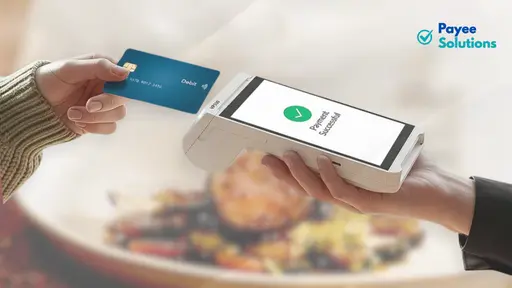
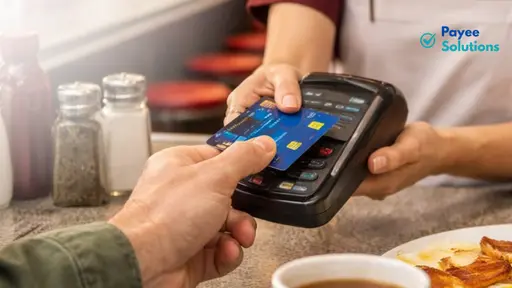
In a restaurant, a server can carry the terminal from the till to a customer’s table, allowing the customer to review the amount and make the payment without leaving the table.
Depending on the terminal and provider, a portable card machine may use:
- Wi-Fi
- Bluetooth
- a base station
- another supported local connection
Some terminals also support cellular connectivity.
Common payment methods can include:
- contactless debit and credit cards
- Chip & PIN
- Apple Pay
- Google Pay
- other supported mobile wallets
The exact payment methods and connectivity options depend on the terminal and provider.
How Does a Portable Restaurant Card Machine Work?
The basic payment journey is:
Customer at table → server brings terminal → customer checks amount → customer pays → payment is authorised
With an integrated EPOS system, the workflow can be more connected:
EPOS selects bill → payment amount is sent to terminal → customer pays → transaction is authorised → payment result returns to EPOS
The exact workflow depends on the terminal, payment provider and EPOS integration.
Portable vs Mobile vs Countertop Card Machines
The terms “portable” and “mobile” are sometimes used interchangeably, but they can describe different types of payment setup.
| Factor | Portable | Mobile | Countertop |
| Main use | Around the same premises | Wider/off-site mobility | Fixed payment point |
| Typical connection | Wi-Fi/Bluetooth depending on setup | Cellular/4G, sometimes Wi-Fi | Wired/Wi-Fi depending on terminal |
| Battery | Usually battery-powered | Battery-powered | Usually connected to power |
| Restaurant use | Tableside payments | Terrace, catering, events | Fixed till |
| Main consideration | Range and connectivity | Mobile coverage and battery | Limited mobility |
Provider terminology is not completely standard, so always check the actual hardware specifications rather than relying on the product name.
When Is a Portable Card Machine Suitable for a Restaurant?
Portable terminals can be useful for:
- full-service restaurants
- cafés with table service
- gastropubs
- pubs
- bars
- hotels
- private dining venues
- restaurants with multiple dining areas
- indoor venues where customers pay away from the till
The key benefit is that the payment device follows the customer’s payment journey.
Instead of:
Table → bill → till → payment → return to table
the restaurant can use:
Table → bill → portable terminal → payment
That can remove unnecessary movement and reduce dependence on one fixed payment point.
When Is a Mobile 4G Card Machine More Suitable?
A mobile or cellular card machine can be useful when payments need to be taken outside the restaurant’s normal Wi-Fi environment.
Examples include:
- food trucks
- catering businesses
- outdoor events
- pop-up hospitality
- restaurant terraces
- beer gardens
- garden dining
- mobile food operations
- venues with unreliable Wi-Fi
A restaurant may also use a cellular-capable terminal as part of its connectivity-continuity plan.
However, mobile connectivity should not be treated as automatically available everywhere. Coverage depends on the network, location and hardware.
When Is a Countertop Card Machine Enough?
A countertop terminal can be appropriate when most customers pay at one fixed location.
Examples include:
- takeaway counters
- bakeries
- quick-service restaurants
- counter-service cafés
- food counters
- fixed tills
If customers rarely need to pay at the table, paying more for mobility may provide little operational benefit.
For restaurants that need both fixed and tableside payments, a combination of countertop and portable terminals may be appropriate.
The 7-Factor Restaurant Card Machine Test
Before comparing providers or transaction rates, evaluate every payment setup against seven practical questions.
| Factor | Key question |
| Service | Where do customers actually pay? |
| Connectivity | Will the terminal work wherever payments happen? |
| Battery | Can it cover the normal service pattern? |
| EPOS | Does it integrate with the existing system? |
| Hospitality | Does it support tipping, split bills and tableside payments? |
| Cost | What is the complete processing cost? |
| Support | What happens if the terminal fails during service? |
This framework is more useful than starting with a transaction percentage.
A lower headline rate does not necessarily produce a lower overall cost if the restaurant pays additional fees or loses operational efficiency through poor integration.
Why Portable Card Machines Suit Restaurant Service
Restaurants have a different payment workflow from many traditional retail businesses.
Customers are normally seated for the entire meal, so payment is often expected to happen at the table.
Take Payments Directly at the Table
A portable terminal allows staff to bring the payment device to the customer.
The customer can:
- Review the amount.
- Choose a tip where available.
- Tap or insert their card.
- Use a supported mobile wallet.
- Enter a PIN when required.
- Receive confirmation of the payment.
This keeps the payment interaction at the table.
Reduce Payment Bottlenecks
A fixed terminal can become a bottleneck when several tables need to pay simultaneously.
For example, during a busy evening:
- several tables may request bills at once
- one customer may want to split a bill
- another may want to add a tip
- another table may be upstairs
- another may be outside
Portable terminals allow payments to happen in multiple locations rather than requiring every customer to use one machine beside the till.
A portable terminal does not automatically increase table turnover, but it can remove a physical payment bottleneck from the service process.
Make Split Bills Easier
Restaurants should check whether the proposed system supports:
- equal bill splits
- specific customer amounts
- multiple cards
- partial payments
- mixed payment methods
- table-linked payments
The exact functionality depends on the payment terminal and EPOS integration.
A system that handles split bills directly can reduce the manual calculations required from staff.
Make Tipping Part of the Payment
Restaurant terminals may provide on-screen tipping options such as:
- suggested percentages
- custom tip amounts
- no-tip options
The restaurant should also check how tips are:
- recorded
- reported
- reconciled
- transferred to the EPOS
- included in management reporting
The exact process depends on the payment and EPOS setup.
Support Different Dining Areas
A restaurant may have:
- a main dining room
- upstairs seating
- a private dining room
- a bar
- a terrace
- a garden
A portable terminal needs to work where customers actually sit.
That means connectivity range is just as important as physical portability.
How Does Pay at Table Work?
Pay at table allows restaurant staff to take the payment terminal directly to the customer.
A typical integrated workflow is:
1. Staff Select the Table or Bill
The employee opens the customer’s order in the EPOS.
2. The Payment Amount Is Sent to the Terminal
With an integrated system, the amount may be transferred automatically.
With a standalone terminal, staff may need to enter the amount manually.
3. The Terminal Is Taken to the Customer
The customer can see the amount before making payment.
4. The Customer Selects a Tip
Where supported, gratuity options can appear on the payment screen.
5. The Customer Pays
Payment may be made by:
- contactless card
- Chip & PIN
- Apple Pay
- Google Pay
- another supported wallet
6. The Payment Is Authorised
The payment is processed and an approved or declined result is returned.
7. The EPOS Is Updated
Where the integration supports it, the successful payment result can return to the EPOS and update or close the bill.
The exact behaviour depends on the payment terminal and EPOS integration.
Standalone vs EPOS-Integrated Card Machines
This distinction is important for restaurants.
Standalone Terminal
Suppose the EPOS shows:
£86.40
The employee then manually enters:
86.40
into the card terminal.
The payment can still work perfectly, but the systems are not necessarily communicating directly.
This creates an additional manual step.
EPOS-Integrated Terminal
With an integrated system:
EPOS sends £86.40 → terminal → customer pays → payment authorised → result returns to EPOS
This can remove manual payment-value entry.
Depending on the integration, it can also help with:
- table closing
- split bills
- tipping
- reconciliation
- reporting
Integration should therefore be evaluated as part of the entire restaurant workflow, not simply as a technical feature.
What Features Should You Look for in a Restaurant Card Machine?
The most important restaurant card-machine features are those that solve real service problems.
1. Reliable Wi-Fi or 4G Connectivity
A portable terminal is only useful if it can communicate reliably where payments happen.
Potential problem areas include:
- thick walls
- basements
- upstairs rooms
- private dining areas
- terraces
- gardens
- Wi-Fi dead zones
- areas outside the main router’s effective range
Ask:
What connection does the terminal use, and what happens if the primary connection is unavailable?
Do not assume that every terminal automatically switches between Wi-Fi and cellular service.
2. Battery Life
Restaurant operators should evaluate battery performance against actual service patterns.
Consider:
- lunch service
- dinner service
- double shifts
- transaction volume
- screen activity
- receipt printing
- charging intervals
- number of terminals
A terminal advertised with all-day battery life still needs to be assessed against the restaurant’s actual workload.
3. Contactless and Mobile Wallets
A modern restaurant terminal should support the payment methods its customers commonly use.
These may include:
- contactless cards
- Chip & PIN
- Apple Pay
- Google Pay
- other supported mobile wallets
UK Finance reported that in June 2026, contactless payments accounted for 67% of credit-card transactions and 76% of debit-card transactions made in the UK. These figures cover UK card activity generally, not restaurants specifically.
For a restaurant, the practical point is simple: contactless and supported mobile wallets are important parts of a modern payment setup.
4. Receipt Options
Consider whether your restaurant needs:
Printed receipts
Useful when customers regularly request paper receipts.
However, printers require:
- paper rolls
- additional maintenance
- physical space
- additional battery power
Digital receipts
Digital receipts can reduce paper use and may suit restaurants where customers prefer electronic records.
The right option depends on the restaurant’s operating model.
5. Tipping and Gratuity
Check:
- suggested tip percentages
- custom tips
- no-tip option
- service-charge functionality
- tip reporting
- EPOS integration
- reconciliation
Tipping should be easy for the customer and straightforward for staff to manage.
6. Split-Bill Functionality
Ask whether the terminal can handle:
- equal splits
- customer-selected amounts
- multiple cards
- partial payments
- mixed payment methods
Also check whether split transactions remain correctly linked to the original table in the EPOS.
7. EPOS Integration
Ask:
- Does it integrate with my EPOS?
- Is my exact EPOS version supported?
- Does the bill amount transfer automatically?
- Does the payment result return to the EPOS?
- Do tips synchronise correctly?
- Are split bills supported?
- Does payment close or update the table?
- What happens if the integration temporarily fails?
“EPOS compatible” should never be treated as the end of the conversation.
Confirm the exact system and functions before signing.
8. Settlement Speed
Do not confuse payment authorisation with settlement.
A card payment may be approved within seconds while the money reaches the restaurant’s bank account according to a separate settlement schedule.
Ask:
- When are funds settled?
- Is next-day settlement available?
- Are faster settlement options available?
- How are weekends treated?
- How are bank holidays treated?
- Are there additional charges?
9. Technical Support
Ask what happens if the terminal fails during a busy service.
Check:
- support hours
- UK support availability
- telephone support
- troubleshooting
- replacement-terminal process
- replacement times
- backup-terminal options
A payment terminal problem at 8:30pm on a Saturday is very different from a problem during a quiet weekday afternoon.
Wi-Fi vs 4G Card Machines: Which Is Better for a Restaurant?
Neither connection type is universally better.
The right option depends on where payments happen and how reliable the available networks are.
Wi-Fi May Suit Restaurants When
Wi-Fi can be suitable when:
- the venue is mainly indoors
- the network is reliable
- all dining areas have sufficient coverage
- terminals stay within the effective range
- there are no significant dead zones
4G May Be Valuable When
Cellular connectivity can be useful for:
- terraces
- gardens
- outdoor events
- catering
- pop-up service
- large venues
- areas outside reliable Wi-Fi coverage
Test Connectivity Where Payments Actually Happen
Do not test connectivity only beside the router.
Walk the actual payment route:
Till → dining room → bar → upstairs → private room → terrace → garden
Test the places where staff will actually take payments.
A strong Wi-Fi signal beside the till does not prove that a terminal will work reliably at the furthest table.
Do Portable Card Machines Work With Restaurant EPOS Systems?
Many portable card terminals can integrate with restaurant EPOS systems, but compatibility is product-specific.
EPOS integration allows the payment terminal and point-of-sale system to exchange transaction information.
For restaurants, this can affect:
- pay at table
- split bills
- tipping
- table closing
- reconciliation
- end-of-day reporting
What Happens Without EPOS Integration?
Suppose the customer bill is:
£86.40
The waiter sees £86.40 on the EPOS.
They then manually enter:
86.40
into the card terminal.
That additional step creates the possibility of:
- entering the wrong amount
- processing the wrong bill
- creating reconciliation differences
- manually matching terminal and EPOS records
A standalone terminal can still be suitable for some restaurants. The important point is to understand the additional manual work.
What Happens With Integrated Payments?
With suitable integration:
EPOS → £86.40 sent to terminal → customer pays → transaction authorised → EPOS updated
This can reduce manual entry and make the payment workflow more connected.
Questions to Ask Your EPOS Provider
Before changing payment providers, ask:
- Is the proposed terminal compatible with my exact EPOS?
- Is the specific EPOS version supported?
- Is pay at table supported?
- Can customers split bills?
- How are tips handled?
- Does a successful payment update or close the table?
- How does reconciliation work?
- Can multiple terminals operate with the same EPOS?
- What happens if the EPOS connection temporarily fails?
Payee Solutions currently states that its restaurant payment solution works with 50+ EPOS systems, including platforms such as Lightspeed, Square, Tevalis, Zonal and Access Hospitality. Compatibility should still be confirmed for the restaurant’s specific setup before signing.
What Does a Portable Card Machine Cost for a Restaurant?
There is no single price that applies to every restaurant.
The total cost can include:
- terminal purchase
- terminal rental
- debit-card processing
- credit-card processing
- monthly account fees
- authorisation charges
- PCI-related charges
- minimum monthly charges
- refund fees
- chargeback fees
- commercial-card pricing
- international-card pricing
- cancellation costs
- other applicable service charges
That is why comparing providers from one percentage alone can produce a misleading result.
Buying or Renting the Terminal
Some providers sell terminals outright.
Others rent them monthly.
Some payment arrangements may bundle hardware and processing services.
Ask:
- Who owns the terminal?
- What happens when the agreement ends?
- Is replacement included?
- Is rental linked to the merchant agreement?
- Can rental pricing change?
- What happens if the terminal becomes faulty?
Transaction Fees
Processing charges may be:
- percentage-based
- percentage plus a fixed fee
- blended
- different for different card types
- based on negotiated merchant pricing
The restaurant’s card mix matters.
A venue processing mostly domestic consumer debit cards can have a different cost profile from a restaurant with significant international or commercial-card usage.
Monthly Fees
A lower transaction rate may come with a monthly account or service fee.
That is not automatically a problem.
The correct comparison is:
Total variable processing cost + fixed charges + hardware + other applicable fees
PCI-Related Charges
Some providers may charge separately for PCI-related services or administration, while others include them.
Check the actual agreement.
Minimum Monthly Charges
Minimum charges can matter particularly to:
- seasonal businesses
- small cafés
- low-volume restaurants
- businesses that close for periods of the year
Ask whether a minimum charge still applies when transaction volume falls.
Refund and Chargeback Fees
Check how the provider charges for:
- refunds
- disputed transactions
- chargebacks
These costs can affect the real annual cost even if they are not prominent in the initial sales quotation.
Commercial and International Cards
Ask how the provider prices:
- commercial cards
- corporate cards
- international cards
- premium cards
This can be particularly relevant to restaurants with significant tourist or corporate customers.
Contract and Cancellation Costs
Review:
- minimum contract term
- renewal
- notice period
- termination fees
- terminal return requirements
A lower transaction rate may not provide a lower overall cost if the contract has expensive exit terms.
How to Calculate the True Cost of Restaurant Card Payments
A useful comparison looks at the total amount paid to process cards rather than one headline percentage.
Illustrative Example
Suppose a restaurant processes:
£30,000 per month in card payments.
For illustration only, assume:
- £20,000 debit-card payments at 0.50%
- £10,000 credit-card payments at 0.90%
- three terminals at £15 each per month
- £10 monthly account charge
These are illustrative figures only and are not Payee Solutions rates or a market quotation.
| Cost component | Example calculation | Example cost |
| Debit processing | £20,000 × 0.50% | £100 |
| Credit processing | £10,000 × 0.90% | £90 |
| Terminal rental | £15 × 3 | £45 |
| Account fee | £10 | £10 |
| Total | £245 |
The simplified effective processing rate would be:
£245 ÷ £30,000 × 100 = 0.82%
Other applicable charges would increase the true figure.
What Is an Effective Processing Rate?
A useful formula is:
Total card-processing charges ÷ total card turnover × 100
This helps compare providers where the headline rates are different but other fees also apply.
However, the effective rate should not be the only consideration.
Also compare:
- hardware
- EPOS integration
- settlement
- support
- contract
- connectivity
- restaurant features
How Many Portable Card Machines Does a Restaurant Need?
There is no reliable rule such as:
“One terminal for every 10 tables.”
Two restaurants with similar turnover can have very different payment requirements.
Consider the following factors.
Number of Tables and Covers
A small café may operate comfortably with one or two payment devices.
A large restaurant may have several tables requesting payment simultaneously.
Number of Servers
If six servers regularly take payments but only one terminal is available, the terminal can become a bottleneck.
Peak Payment Periods
Look at the busiest payment window rather than average transaction volume.
For example, a restaurant may be quiet at 6pm but have 15 tables requesting payment between 9:30pm and 10pm.
Bar and Restaurant Combined
A gastropub may need:
- countertop payment at the bar
- portable payments for dining tables
These are different payment workflows.
Multiple Floors
Consider:
- connectivity
- staff movement
- terminal availability
- whether additional devices would reduce waiting
Outdoor Areas
A terrace or garden can introduce:
- greater distance
- Wi-Fi coverage challenges
- additional payment points
- higher demand during good weather
Terminals Used for Ordering
Some hospitality devices combine ordering and payment.
If terminals are used for both tasks, device requirements should be considered alongside the number of active servers.
Backup Terminal
A restaurant may keep an additional terminal primarily for resilience.
If a device fails during a busy service, having a backup can reduce disruption.
What Card Machine Setup Suits Different Types of Restaurants?
| Business type | Typical payment requirement | Features to prioritise |
| Café | Counter + occasional tableside | Contactless, portable option |
| Full-service restaurant | Tableside | Portable terminal, EPOS, tipping, split bills |
| Fine dining | Discreet tableside payment | Portable hardware, battery, gratuity |
| Pub/gastropub | High concurrent usage | Multiple terminals, connectivity |
| Takeaway | Fixed counter | Countertop terminal |
| Restaurant with terrace | Indoor/outdoor payments | Suitable Wi-Fi/4G |
| Food truck | Off-site payments | Mobile/cellular connectivity |
| Multi-site restaurant | Centralised operations | Integration, reporting, scalability |
These are starting points rather than fixed rules.
A café with extensive table service may have more in common with a full-service restaurant than with another counter-service café.
What Happens If a Restaurant’s Wi-Fi Goes Down?
The result depends on the terminal, provider and configured payment options.
Possible outcomes include:
- the terminal stops processing until the connection returns
- the terminal switches to cellular connectivity where supported
- the terminal uses another configured connection
- certain transactions may be processed offline where supported
Never assume that every portable terminal has 4G fallback or offline processing.
What Are Offline Card Payments?
Offline payment functionality can allow certain transactions to be processed without an immediate connection to the payment network.
However, offline processing can introduce additional risk because the transaction may not receive full online authorisation at the time of payment.
If offline payments matter to your restaurant, ask:
- Which cards are supported?
- Is there a transaction limit?
- How long can payments remain pending?
- Who carries the risk if a transaction later fails?
- When must the terminal reconnect?
- What happens if the payment is declined later?
Restaurant Payment Continuity Checklist
Before choosing a system, establish:
- Primary connection: What does the terminal normally use?
- Backup connection: Is another connection available?
- Offline capability: Is offline processing supported?
- Battery backup: Can terminals remain operational during relevant outages?
- Support hours: Can you get help during evening and weekend service?
- Replacement process: What happens if the hardware fails?
A continuity plan is much easier to establish before a payment failure.
How Quickly Do Restaurant Card Payments Reach the Bank Account?
Payment authorisation and settlement are different processes.
Authorisation
Authorisation happens when the customer makes the payment.
The payment request is processed and the terminal receives an approved or declined response.
Settlement
Settlement happens after the payment has been authorised.
The funds are transferred according to the merchant’s agreed settlement arrangement.
Depending on the provider and agreement, settlement may include:
- next-working-day settlement
- same-day settlement
- other faster settlement options
Restaurants should check:
- standard settlement timing
- weekend treatment
- bank-holiday treatment
- eligibility for faster settlement
- additional fees
Payee Solutions currently advertises next-day settlement for its restaurant payment solution and states that same-day settlement is available on its Pro plan.
Settlement speed matters because restaurants regularly need to manage:
- stock purchases
- supplier payments
- payroll
- rent
- utilities
- operating expenses
Do not choose a provider solely because it advertises faster settlement. Check exactly when the funds will reach the restaurant’s bank account.
What Contract Terms Should Restaurant Owners Check?
The hardware and transaction rate are only part of the payment agreement.
Before signing, review the full commercial structure.
Minimum Contract Length
Ask:
- How long am I committed?
- Are different parts of the arrangement subject to different terms?
- Does terminal rental have a separate commitment?
Merchant Agreement vs Terminal Agreement
Depending on the provider, the payment setup may involve multiple agreements.
Understand:
- who provides the merchant account
- who provides the hardware
- who invoices you
- which agreement controls cancellation
Early Termination
Ask:
- Can I leave early?
- Is there a termination charge?
- How is the charge calculated?
- Does terminal rental continue after cancellation?
Auto-Renewal
Check:
- whether the agreement renews automatically
- the renewal period
- the notice period
- the deadline for giving notice
Minimum Monthly Charges
Confirm whether a minimum charge applies if transaction volume falls.
Hardware Ownership
At the end of the agreement:
- Do you own the terminal?
- Must it be returned?
- Is there a collection charge?
- What happens if the equipment is damaged?
Notice Period
Record the renewal and cancellation dates when you sign.
Rate Changes
Ask whether transaction rates can change during the agreement and under what circumstances.
Get Important Terms in Writing
Before committing, make sure you can identify:
- transaction rates
- monthly charges
- terminal charges
- minimum charges
- PCI-related charges
- refund charges
- chargeback fees
- settlement terms
- contract length
- cancellation terms
- notice period
If a commercial term matters to your decision, rely on the written agreement rather than a verbal explanation.
12 Questions to Ask Before Choosing a Portable Restaurant Card Machine
1. Does it work with my existing EPOS?
Confirm the exact EPOS platform, version and integration functions.
2. Can staff take payments wherever customers are seated?
Check the dining room, private rooms, additional floors, terrace and garden.
3. Does it support Wi-Fi, 4G or another suitable connection?
Understand the primary connection and any backup option.
4. Will the battery cover our normal service?
Consider lunch, dinner, double shifts and charging opportunities.
5. Can customers split bills?
Check equal splits, specific amounts, multiple cards and partial payments.
6. How does tipping work?
Review customer prompts, custom tips, service charges, reporting and EPOS interaction.
7. Which cards and mobile wallets are accepted?
Check the payment methods your customers actually use.
8. What is the total processing cost?
Include transaction charges, hardware, monthly fees and other applicable costs.
9. Are there monthly minimums or additional charges?
Ask for the complete fee schedule.
10. When will funds reach our bank account?
Confirm settlement timing, including weekends and bank holidays where relevant.
11. What happens if the terminal fails?
Ask about support, troubleshooting and replacement.
12. What are the contract and exit terms?
Understand contract length, renewal, notice and termination costs.
Should You Buy, Rent or Use a Pay-As-You-Go Card Machine?
There is no universally correct commercial model.
| Model | May suit | What to check |
| Buy outright + PAYG | Businesses wanting hardware ownership | Transaction pricing |
| Terminal rental | Businesses preferring an ongoing hardware/service arrangement | Monthly cost and contract |
| Bespoke merchant pricing | Established businesses with predictable volume | Fee complexity |
| Integrated POS/payment package | Businesses reviewing EPOS and payments together | Compatibility and platform dependence |
Buy Outright + PAYG
The business pays for the hardware and then pays processing charges as payments are taken.
This may suit businesses with variable or seasonal usage.
The key consideration is the relationship between the hardware cost and transaction pricing.
Terminal Rental
Rental spreads the hardware cost over the agreement.
It may also include service or replacement benefits.
Check:
- monthly rental
- contract length
- replacement terms
- ownership at the end
- cancellation obligations
Bespoke Merchant Pricing
Restaurants with established processing volumes may be offered negotiated pricing.
Comparison can be more complex because different card categories and fixed charges may apply.
Integrated POS and Payment Package
A combined EPOS and payment system can simplify the operating model.
However, it can also make changing one part of the system more complicated later.
Evaluate the complete system rather than the payment terminal alone.
When Should You Review Your Restaurant Card Machine Provider?
You do not need to change providers simply because another company advertises a lower transaction rate.
A review can become useful when the current setup no longer matches the restaurant’s requirements.
Possible triggers include:
- recurring terminal problems
- opening a terrace
- expanding the venue
- adding another floor
- changing EPOS
- poor payment integration
- higher processing costs
- changing settlement requirements
- increased card turnover
- reduced card turnover
- needing additional terminals
- inadequate evening support
- inadequate weekend support
- an approaching contract renewal
Before switching:
- Obtain your latest merchant statement.
- Review your current contract.
- Identify exit obligations.
- Calculate your complete current cost.
- Confirm technical compatibility with the proposed replacement.
Understand your existing arrangement before comparing alternatives.
How to Compare a New Card Machine Quote With Your Current Statement
Do not compare a new provider’s headline percentage with one number from your existing merchant statement.
Compare like with like.
Review Your Current Statement
Look for:
- total card turnover
- debit-card volume
- credit-card volume
- transaction count
- transaction charges
- authorisation charges
- terminal rental
- PCI-related fees
- monthly minimums
- account fees
- refund charges
- chargebacks
- other processing costs
Start with what you actually paid during the month.
Compare the New Quote
Create a simple comparison.
| Cost area | Current provider | New quote |
| Debit processing | £ | £ |
| Credit processing | £ | £ |
| Terminal rental | £ | £ |
| Account/monthly fee | £ | £ |
| PCI-related fee | £ | £ |
| Authorisation | £ | £ |
| Other expected charges | £ | £ |
| Estimated monthly total | £ | £ |
Then compare:
- monthly cost
- annual cost
- effective processing rate
- hardware
- EPOS compatibility
- settlement
- support
- contract terms
Why 0.40% vs 0.50% Is Not Enough
Suppose Provider A advertises a lower percentage but also has:
- higher terminal rental
- monthly fees
- higher international-card charges
- minimum service charges
Provider B may have a higher headline percentage but a different overall cost for the restaurant’s particular card mix.
Without the complete fee structure, the comparison is incomplete.
Payee Solutions states that it can review a merchant statement and provide a line-by-line comparison when a restaurant requests a quote.
Portable Card Machine Checklist for UK Restaurants
Use this checklist before signing a new payment agreement.
| Area | Check before choosing |
| Mobility | Can staff use it wherever payments happen? |
| Connectivity | Does it have suitable Wi-Fi, 4G or another connection? |
| Battery | Can it handle the normal service pattern? |
| Payments | Does it accept the card and wallet types customers use? |
| EPOS | Is the exact system and workflow supported? |
| Hospitality | Does it support tipping, split bills and pay at table? |
| Settlement | When will funds reach the restaurant? |
| Fees | What is the complete processing cost? |
| Contract | What are the term, notice and exit costs? |
| Support | When is support available? |
| Replacement | How quickly can faulty hardware be replaced? |
| Scalability | Can more terminals or locations be added later? |
If any important question cannot be answered clearly, resolve it before signing.
Frequently Asked Questions
What is the best type of card machine for a restaurant?
A portable card machine is often suitable for restaurants that take payments at the table. A countertop machine can work well for fixed-counter businesses, while a mobile 4G terminal can suit outdoor, catering or off-site payments. The right setup depends on venue layout, connectivity, EPOS compatibility, tipping, split bills, card volume and total cost.
What’s the difference between a portable and mobile card machine?
A portable card machine is generally designed to move around the same premises and may use Wi-Fi or Bluetooth. A mobile card machine is designed for greater location flexibility and commonly uses cellular connectivity such as 4G. Provider terminology varies, so check the terminal’s actual connectivity rather than relying only on its product name.
Can a portable card machine work without Wi-Fi?
It depends on the terminal. Some devices support cellular connectivity and can process payments without the restaurant’s Wi-Fi. Others depend on Wi-Fi, Bluetooth or a base station. Some systems also support offline payments, but the rules and risks vary by provider.
Can customers leave tips on a portable card machine?
Yes, many restaurant payment terminals support on-screen tipping, including suggested percentages, custom amounts and no-tip options. Restaurants should also check how tips are recorded, reported and transferred between the payment terminal and EPOS.
Can a portable card machine connect to restaurant EPOS?
Many portable terminals can integrate with restaurant EPOS systems, but compatibility is product-specific. With suitable integration, the EPOS can send the payment amount to the terminal and receive the payment result. Pay-at-table, split-bill and tipping functionality can also depend on the specific integration.
How much does a portable card machine cost in the UK?
There is no single price for every restaurant. The total cost can include hardware, transaction charges, monthly fees, minimum charges, PCI-related fees, authorisation charges and other applicable costs. Compare the estimated monthly or annual cost using your actual card turnover and transaction mix.
How many card machines does my restaurant need?
It depends on the number of tables, servers, peak payment periods, floors, outdoor areas and whether terminals are also used for ordering. A small café may need one or two devices, while a larger restaurant could require several. Avoid relying on a fixed terminal-per-table formula.
How quickly are restaurant card payments settled?
Settlement varies by provider and agreement. A payment may be authorised immediately but reach the restaurant’s bank account according to a separate settlement schedule. This may include next-working-day or faster settlement options. Check availability, weekend treatment, eligibility and any additional charges.
What happens if a restaurant card machine loses internet connectivity?
The result depends on the terminal and provider. A terminal may stop processing payments, switch to another supported connection or allow certain transactions to be processed offline. Restaurants should understand the provider’s connectivity and offline-payment rules and have a backup plan for service interruptions.
Does a portable card machine work outside the restaurant?
A portable terminal and a mobile terminal are not necessarily the same. A portable device may be designed to move around the same premises, while a cellular mobile terminal may be designed for payments in different locations. Check the terminal’s network connectivity, coverage requirements and intended use.
Can a restaurant use both portable and countertop card machines?
Yes. A restaurant may use countertop terminals for fixed payment points such as a bar or till and portable terminals for tableside payments. The appropriate combination depends on the restaurant’s workflow and payment locations.
Is a lower card-processing rate always better?
No. A lower headline rate does not automatically mean a lower overall cost. Compare transaction charges alongside terminal costs, monthly fees, minimum charges, card-category pricing, support, settlement, integration and contract terms.
Choosing the Right Payment Setup for Your Restaurant
Choosing a restaurant card machine is less about finding the lowest advertised rate and more about finding a payment setup that works with the way your restaurant actually operates.
Use this sequence:
Venue layout → payment locations → connectivity → service model → EPOS → restaurant features → total cost → settlement → contract → support
Start with where customers actually pay.
Then check whether the terminal can work reliably in those locations.
Confirm that the payment system supports your EPOS and the restaurant’s workflows, including pay at table, tipping and split bills where required.
Next, calculate the complete cost rather than comparing one transaction percentage.
Finally, understand settlement timing, contractual commitments and what happens if the equipment fails during service.
For restaurants that need portable terminals, pay-at-table payments, split bills and EPOS integration, Payee Solutions currently offers a hospitality payment solution with 50+ EPOS integrations, portable terminals, split-bill processing and next-day settlement. The provider also states that UK-based technical support is available 24/7 and that faulty terminals can be replaced within 24 hours.
The right restaurant payment system should ultimately fit your tables, your staff, your connectivity, your EPOS and your payment volume, rather than forcing your operation to adapt around the terminal.