Table of Contents
Author: Atik | Payment Solutions Specialist, 2+ years in merchant services and payment technology
If you run a market stall in the UK, a reliable card reader can help you take payments when customers do not have cash. The right device should match your trading environment, not just have the lowest advertised transaction fee.
For most market traders, the key questions are whether the reader works without venue Wi-Fi, how well its mobile connection performs at your usual markets, how long the battery lasts, what you actually pay per transaction, when funds reach your bank account, and what happens if connectivity fails.
A standalone 4G card machine can be useful for traders who move between markets because it can connect directly through a mobile network instead of depending on a phone or venue Wi-Fi. However, mobile coverage still matters. You should also compare the complete cost of processing payments, including transaction fees, monthly charges, hardware, contract terms and any additional fees.
This guide explains what to check before choosing a card reader for a market stall and how to compare providers.
What Should You Look for in a Card Reader for Market Stalls?
A good market-stall card reader should be:
- Reliable outdoors: Suitable for busy markets, fairs, festivals and other temporary trading locations.
- Independent of venue Wi-Fi: A 4G-connected terminal can be useful where public or market Wi-Fi is unavailable.
- Long-lasting: Battery life should cover your normal trading session.
- Fast: Customers should be able to tap, insert or use a mobile wallet without unnecessary delays.
- Easy to carry: The reader should fit comfortably into your stall setup.
- Transparent on costs: Compare transaction fees, monthly charges, hardware costs and contract terms.
- Suitable for your sales volume: A low percentage rate is not automatically cheaper if a fixed monthly fee is high.
- Capable of providing receipts: Digital receipts can reduce the need to carry a printer or paper.
- Supported by a reliable provider: Check settlement times, technical support and replacement arrangements.
For a market trader, connectivity and reliability can be just as important as the transaction rate.
What Is a Card Reader for Market Stall?
A card reader is a payment device that allows customers to pay by debit card, credit card or contactless methods.
Depending on the device, a reader may connect to:
- A smartphone using Bluetooth.
- A built-in mobile network such as 4G.
- Wi-Fi.
- A combination of these connection methods.
A phone-connected reader can be a cost-effective option for occasional traders. You carry the reader and use your smartphone to run the payment app.
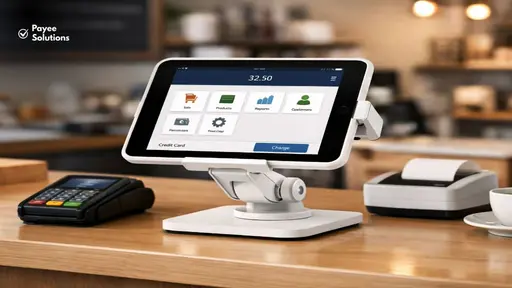
A standalone 4G terminal is different. It contains its own mobile connectivity, so you do not normally need to connect it to your smartphone or market Wi-Fi for each transaction.
For traders who regularly work at different markets, fairs and outdoor events, the simplicity of a standalone terminal can be valuable.
Phone-Connected vs Standalone 4G Card Readers
The main choice for many market traders is between a small card reader that connects to a smartphone and a standalone terminal with its own mobile connection.
| Feature | Phone-connected reader | Standalone 4G terminal |
| Smartphone required | Usually yes | Usually no |
| Built-in mobile connection | Usually no | Yes |
| Venue Wi-Fi required | Not necessarily | Not necessarily |
| Easy to carry | Yes | Yes |
| Battery management | Phone + reader | Mainly terminal |
| Setup | App and Bluetooth connection | Usually ready to operate independently |
| Best suited to | Occasional or mobile traders | Regular market and event traders |
| Main consideration | Phone battery/connectivity | Mobile network coverage |
Neither setup is automatically right for every trader.
Choose a phone-connected reader if:
- You already carry a smartphone.
- You have reliable mobile data.
- You want to minimise equipment.
- You trade occasionally.
- Your average trading sessions are relatively short.
Consider a standalone 4G terminal if:
- You trade at multiple markets.
- You do not want your phone to be part of every transaction.
- You regularly trade outdoors.
- Venue Wi-Fi is unreliable or unavailable.
- You want a dedicated payment device.
- You need a device that can remain available throughout a long trading session.
The most important point is to check how the reader actually connects before buying it.
Do Market-Stall Card Readers Need Wi-Fi?
No, not necessarily. A card reader can operate without venue Wi-Fi if it has another suitable connection, such as built-in 4G mobile connectivity.
A standalone 4G terminal uses a mobile network rather than the market’s Wi-Fi. This can be useful at outdoor markets, festivals and temporary events where Wi-Fi may be unavailable or unreliable.
However, 4G does not mean the reader works everywhere.
The terminal still needs suitable mobile network coverage.
Before choosing a provider, check:
- Which mobile network the terminal uses.
- Whether that network works reliably at your usual markets.
- Whether the provider uses one network or has another connectivity arrangement.
- What happens if the signal becomes weak.
- Whether offline payments are supported.
- What conditions apply to offline transactions.
Payee Solutions, for example, currently advertises market-trader terminals with a built-in 4G SIM, meaning venue Wi-Fi is not required where suitable mobile signal is available.
The practical rule
No Wi-Fi does not mean no connectivity.
You still need an appropriate connection for the payment to be processed.
What Happens If the Mobile Signal Drops?
Connectivity problems can happen at outdoor markets.
A market may be located:
- In a rural area.
- Inside a crowded event venue.
- In a location with weak mobile coverage.
- In a temporary structure.
- In a place where large crowds affect connectivity.
- In an area where your terminal’s mobile network has limited coverage.
Some payment providers support offline payments under certain circumstances. However, offline payment functionality is not the same as having a guaranteed connection.
Before relying on offline payments, check the provider’s exact rules.
Ask:
- Are offline payments supported?
- Which transaction types can be processed offline?
- Is there a maximum offline period?
- Is there a maximum transaction value?
- Is there a limit on the number or value of offline transactions?
- Who carries the risk if an offline payment is later declined?
- What happens if the device remains offline for an extended period?
Do not assume that every payment will be approved simply because a terminal offers an offline mode.
What should you do if the signal drops?
Have a backup process.
For example:
- Move the terminal to a more open position.
- Check whether the signal returns.
- Try another supported connection if your equipment provides one.
- Use an approved offline-payment function if appropriate.
- Keep a second payment method available for busy trading days.
- Never treat an unconfirmed transaction as completed just because the customer has attempted to pay.
Your provider’s terms should determine how you handle offline transactions.
Test the Card Reader at Your Actual Market
A reader that works perfectly at home may not perform the same way at your regular market.
If a market is important to your business, test connectivity at or near the actual trading location before relying on the device.
Consider testing:
- Early morning before customers arrive.
- During the busiest period.
- Inside and outside the stall.
- At different positions around the pitch.
- With several payment methods.
- During a full trading session.
This gives you more useful information than testing only from your home or office.
A useful market-trader test
Record:
- Signal strength.
- Time taken to process a payment.
- Battery percentage before and after trading.
- Whether contactless payments work consistently.
- Whether mobile-wallet payments work.
- Any failed or delayed transactions.
If the same problem happens repeatedly at one market, speak to the payment provider before committing to a long-term arrangement.
How Much Battery Life Does a Market-Stall Card Reader Need?
Battery life matters because a market trader may not have convenient access to a power socket.
Think about your actual trading day, not the advertised maximum battery figure.
For example, if you trade:
- 4 hours, you need a different battery margin than a trader working 10 hours.
- Outdoors, charging may be difficult.
- At festivals, queues can create many transactions in a short period.
- At Christmas markets, you may trade for extended sessions.
Look for:
- Published battery-life information.
- Charging time.
- USB charging.
- Charging dock availability.
- Whether the device can operate while charging.
- Power-bank compatibility, where supported.
- Battery performance under frequent use.
Payee Solutions currently states that its market-trader terminals offer 8+ hours of active use on a single charge.
Treat published battery figures as a reference rather than a guarantee for every trading environment.
Carry a backup power option
Even a long-lasting terminal can run out of power.
A charged power bank or another approved charging option can be useful for:
- Long events.
- Weekend markets.
- Christmas markets.
- Festivals.
- Consecutive trading days.
- High-volume trading periods.
Does Contactless Matter for Market Traders?
Yes. Contactless payments are particularly relevant to market traders because many purchases are relatively quick and customers often want a fast checkout.
A modern card reader may support:
- Contactless debit cards.
- Contactless credit cards.
- Chip and PIN.
- Apple Pay.
- Google Pay.
- Samsung Pay.
The exact supported payment methods depend on the provider and terminal.
A good checkout process should minimise unnecessary steps.
For a busy stall, the ideal customer journey is simple:
Choose product → confirm price → tap or insert card → payment approved → customer receives product.
If customers regularly have to wait while you reconnect a phone, restart an app or search for Wi-Fi, payment friction can become a problem.
How Much Does a Card Reader for Market Stalls Cost?
The cost of accepting card payments usually includes more than the advertised transaction percentage.
You may need to consider:
- Card transaction fees.
- Monthly fees.
- Hardware cost.
- Terminal rental.
- Setup fees.
- Contract length.
- PCI-related charges.
- Settlement fees.
- Refund fees.
- Chargeback-related costs.
- International card fees.
- Optional software costs.
Always compare the total cost, not only the headline percentage.
How Card Payment Fees Work
A provider may charge:
Percentage fee
For example, a 1.69% transaction fee means a £20 transaction would incur:
£20 × 1.69% = £0.338
So the fee would be approximately 34p.
Percentage + fixed fee
Another plan might charge:
1.10% + 7p
On a £20 transaction:
£20 × 1.10% = 22p
Then:
22p + 7p = 29p
The second structure would therefore cost less on this particular £20 transaction.
But the result changes with the transaction value.
How Does Average Sale Value Affect Your Card Reader Choice?
Your average transaction value is important.
Consider a trader selling:
- £3 products.
- £10 products.
- £25 products.
- £100 products.
A fixed per-transaction fee has a much greater impact on a £3 purchase than on a £100 purchase.
For example, using the hypothetical rates below:
Plan A: 1.69%
Plan B: 1.10% + 7p
£5 sale
Plan A:
£5 × 1.69% = 8.45p
Plan B:
£5 × 1.10% + 7p = 12.5p
Plan A is cheaper for this transaction.
£20 sale
Plan A:
£20 × 1.69% = 33.8p
Plan B:
£20 × 1.10% + 7p = 29p
Plan B is cheaper for this transaction.
£50 sale
Plan A:
£50 × 1.69% = 84.5p
Plan B:
£50 × 1.10% + 7p = 62p
Plan B is cheaper.
This demonstrates why comparing percentages alone can be misleading.
What Is the Break-Even Transaction Value?
For the hypothetical rates above:
1.69% = 1.10% + 7p
The difference between the percentage rates is:
1.69% − 1.10% = 0.59%
Convert 0.59% to decimal:
0.0059
Then:
£0.07 ÷ 0.0059 ≈ £11.86
So the break-even transaction value is approximately £11.86.
At around £11.86:
- The percentage-only plan and
- The lower-percentage-plus-fixed-fee plan
would cost approximately the same per transaction.
Below that value, the fixed-fee structure can become relatively expensive.
Above it, the lower percentage can become increasingly attractive.
This is a hypothetical calculation, not a recommendation of one payment provider over another.
What Is an Effective Card Processing Rate?
Your effective rate tells you how much you actually spend on card processing compared with the total amount you take.
For example:
You process £10,000 in card payments.
Your total processing-related charges are £150.
Your effective rate is:
£150 ÷ £10,000 × 100 = 1.5%
This is useful because a plan advertised at a low transaction percentage may still have other charges.
When comparing quotes, calculate:
Total payment costs ÷ total card sales × 100
Do this using your expected annual sales rather than a single transaction.
PAYG or Monthly Card Reader Plan: Which Is Better?
There is no universal answer.
Pay-as-you-go may suit you if:
- Your trading is seasonal.
- You attend only occasional markets.
- Your sales volume changes significantly.
- You do not want a monthly commitment.
- You prefer paying fees only when taking payments.
For example, SumUp currently lists its standard UK pay-as-you-go rate at 1.69%, with no monthly cost under that option. It also offers a paid Payments Plus option with a lower published rate for eligible transactions.
A monthly plan may suit you if:
- You process payments regularly.
- Your annual card sales are predictable.
- A lower transaction rate offsets the monthly cost.
- You want a dedicated terminal.
- You are comfortable with the contract terms.
Payee Solutions currently lists market-trader pricing from £15/month, with transaction rates from 0.29% for debit cards and 0.79% for credit cards on its market-trader page. The exact cost depends on the package and applicable pricing, so confirm the current quote before signing.
Compare the annual cost
Do not compare:
0.29% vs 1.69%
in isolation.
Instead compare:
Annual transaction fees + annual fixed fees + hardware/other applicable costs
against your expected card turnover.
How Quickly Will You Receive Your Money?
Settlement timing can matter for small businesses because market traders often need cash flow to buy:
- Stock.
- Ingredients.
- Packaging.
- Fuel.
- Stall fees.
- Supplies.
- Equipment.
Providers may offer different settlement schedules.
Before signing, check:
- Same-day settlement.
- Next-day settlement.
- Weekend settlement.
- Bank-holiday settlement.
- Cut-off times.
- Whether instant transfers cost extra.
- Which bank accounts are supported.
Payee Solutions currently advertises next-day settlement into a UK bank account for its market-trader payment solution.
Always check the actual settlement terms for the package you are offered.
Are Card Readers Suitable for Outdoor Markets?
Outdoor trading creates different requirements from operating inside a permanent shop.
Your payment equipment may be exposed to:
- Rain.
- Dust.
- Temperature changes.
- Direct sunlight.
- Accidental drops.
- Frequent handling.
- Crowded queues.
Look at the terminal’s published specifications rather than assuming that a device is weatherproof.
Practical protection
Even where a terminal is designed for mobile use:
- Keep it out of direct rain where possible.
- Store it safely between transactions.
- Avoid leaving it in extreme heat.
- Keep charging cables dry.
- Use a protective case if appropriate.
- Avoid placing the terminal where customers can easily knock it onto the ground.
Payee Solutions specifically describes its market-trader solution as designed for outdoor use and lists weatherproof handling among its features.
Should You Offer Digital Receipts?
For many market traders, digital receipts are more convenient than printed receipts.
Depending on the provider, customers may receive receipts by:
- Email.
- SMS.
- A digital payment confirmation.
- Another supported electronic method.
Digital receipts can reduce:
- Paper use.
- Printer equipment.
- Receipt-roll storage.
- Battery use associated with a printer.
They can also be useful when customers need proof of purchase later.
However, check exactly how receipts are generated and whether customer contact details are required.
What Is Tap to Pay?
Tap to Pay allows a compatible smartphone to accept contactless payments without a separate physical card reader.
The phone effectively becomes the payment acceptance device.
This can be useful for:
- Emergency backup.
- Very small stalls.
- Occasional traders.
- Traders who want a second payment method.
- Businesses that already use a compatible smartphone.
The exact requirements depend on the payment provider, smartphone, operating system and supported payment methods.
Tap to Pay should not automatically replace a dedicated card terminal for every trader.
A useful backup setup
A market trader could potentially have:
Primary: standalone 4G card terminal
Backup: Tap to Pay on a compatible phone
This gives you another option if your primary device develops a problem.
How Many Card Readers Does a Market Trader Need?
One terminal may be enough for a small stall.
You may consider more than one if:
- You have multiple checkout points.
- Several staff members take payments.
- Queues become long.
- You operate multiple stalls.
- You trade at large events.
- Customers regularly wait to pay.
Before buying additional terminals, calculate whether the faster checkout will justify the extra cost.
For a single-person stall, one reliable terminal plus a practical backup may be more useful than several devices.

What Type of Market Trader Needs a Card Reader?
Card payments can be useful across many types of market businesses.
Food and drink traders
Examples include:
- Street-food stalls.
- Coffee stalls.
- Bakery stalls.
- Dessert vendors.
- Farmers’ market food sellers.
These businesses often benefit from quick contactless payments because customers may be making relatively small purchases.
Craft sellers
Craft businesses may have higher average transaction values.
Examples include:
- Handmade jewellery.
- Artwork.
- Candles.
- Home decor.
- Handmade gifts.
Here, the effect of transaction rates and fixed fees should be considered carefully.
Clothing and fashion traders
Customers may buy multiple items in one transaction.
A reader should therefore be able to process payments quickly while being easy to move around the stall.
Service providers
Market-based service businesses may also need card acceptance.
Examples include:
- Repair services.
- Demonstration services.
- Local service providers.
- Event-based businesses.
The appropriate setup depends on how and where the business operates.
What About Seasonal Market Traders?
Seasonal traders need to pay particular attention to fixed costs.
If you trade heavily for only a few months each year, a monthly contract can continue to cost money when your business is quiet.
Consider:
Total annual fixed cost + total transaction fees
rather than only the transaction rate.
For example, a lower transaction rate may look attractive but may not be economical if the business has very low card turnover for several months.
A PAYG option can provide more flexibility for some seasonal businesses, while a contracted plan may make sense for traders with consistent year-round volume.
Your actual sales pattern should determine the calculation.
Do Market Traders Need to Think About PCI DSS?
Yes.
PCI DSS stands for Payment Card Industry Data Security Standard.
It is a set of security requirements relating to payment-card data.
Using a modern payment terminal can reduce the amount of sensitive card information a merchant directly handles, but you should still understand your responsibilities.
Ask the provider:
- What PCI requirements apply to my business?
- Is PCI support included?
- Are there additional PCI-related charges?
- What security responsibilities remain with me?
- What should I do if the terminal is lost or stolen?
Payee Solutions states that PCI DSS compliance is included with its market-trader package.
Always confirm the terms of your specific agreement.
What Should You Do During a Busy Market Queue?
Payment speed becomes particularly important when several customers are waiting.
A slow payment process can create a queue even if your products are ready.
Before a busy event:
- Fully charge the terminal.
- Charge your phone if you use one.
- Check mobile connectivity.
- Confirm contactless payments work.
- Make sure the payment app is updated.
- Keep a backup power source available.
- Keep your payment device within easy reach.
- Have a backup payment method.
- Make sure staff know what to do if a transaction fails.
- Check that customers receive confirmation before completing the sale.
Keep your payment point simple
Avoid making customers:
- Wait for Wi-Fi.
- Search for a QR code unnecessarily.
- Repeat the same payment multiple times.
- Stand in a confusing queue.
- Wait while you search for a charging cable.
The payment process should be one of the simplest parts of the customer journey.
12 Questions to Ask Before Choosing a Market-Stall Card Reader
Before signing a contract, ask the provider:
- Does the terminal need Wi-Fi?
- Does it have built-in 4G connectivity?
- Which mobile network does it use?
- Will it work at my regular market locations?
- How long does the battery normally last?
- What happens when the signal drops?
- Are offline payments supported?
- What are the transaction fees for debit and credit cards?
- Are there monthly or terminal-rental fees?
- What is the contract length?
- When will funds reach my bank account?
- Are there any additional charges for PCI compliance, refunds, chargebacks or other services?
If the provider cannot explain the pricing clearly, ask for a written quote.
How to Compare Card Reader Quotes
Do not compare card reader quotes based only on the headline transaction rate. A reader with a low processing fee may have a monthly subscription, a fixed fee per transaction or higher hardware costs. Compare the full cost alongside connectivity, settlement speed and contract flexibility.
The table below uses hypothetical figures for illustration only. These are not actual quotes from payment providers. Ask providers to confirm their current prices and terms in writing.
| Cost or feature | Provider A | Provider B | Provider C |
|---|---|---|---|
| Debit card rate | 1.50% | 1.75% | 1.20% |
| Credit card rate | 1.80% | 1.75% | 1.60% |
| Fixed transaction fee | 5p | £0 | 3p |
| Monthly fee | £10 | £0 | £15 |
| Terminal rental | £10/month | £0 | Included |
| Hardware cost | £0 upfront | £29 upfront | £49 upfront |
| Setup fee | £0 | £0 | £25 |
| Contract length | 12 months | No fixed term | 24 months |
| Settlement time | Next working day | 1–2 working days | Next working day |
| 4G connectivity | Included | Not supported | Included |
| Battery life | Up to 8 hours | Up to 10 hours | Up to 12 hours |
| Offline payments | Not supported | Not supported | Available, subject to conditions |
| Digital receipts | SMS and email | SMS and email | |
| Support | Phone and email | Online support | Phone and email |
| Additional charges | £5/month service fee | Paid instant transfers | £5/month service fee |
All figures and specifications in this table are illustrative assumptions, not verified provider offers. Battery life depends on usage and device model. Offline payments may be subject to limits and eligibility conditions. Confirm all fees, features and contract terms directly with each provider.
Example
Suppose your business processes:
£30,000 per year
If the effective processing cost were 1.5%:
£30,000 × 1.5% = £450
If you also pay:
£15 × 12 = £180
Your combined annual cost would be:
£450 + £180 = £630
This is a simplified example. Your actual cost depends on the provider’s complete pricing structure.
Review Your Card Payment Provider Regularly
Your payment requirements can change as your business grows.
Review your arrangement when:
- Your annual card turnover increases.
- Your average transaction value changes.
- You start trading at more markets.
- You employ additional staff.
- You begin taking online payments.
- Your existing terminal becomes unreliable.
- Your contract is approaching renewal.
- You start paying significantly more in processing fees.
Keep your previous statements so you can compare actual costs against new quotes.
A provider offering a lower headline rate is not necessarily cheaper once all fees and contract terms are included.
Payee Solutions for UK Market Traders
Payee Solutions provides payment solutions specifically for UK businesses, including market traders, street-food vendors, craft sellers and outdoor event traders.
Its market-trader solution is built around the requirements of businesses that need to accept payments away from a permanent shop.
4G connectivity without venue Wi-Fi
Payee Solutions’ market-trader page states that its mobile card readers have a built-in 4G SIM, so traders do not need venue Wi-Fi where suitable mobile signal is available.
This can be useful at:
- Outdoor markets.
- Street-food events.
- Craft fairs.
- Festivals.
- Pop-up trading locations.
- Other temporary venues.
The important qualification is that the terminal still requires suitable mobile network coverage.
Designed for a full trading session
Payee Solutions currently states that its market-trader terminals offer 8+ hours of active battery life on a single charge.
For traders who spend a full day at a market, this can reduce the need to find a power source during trading.
Card and mobile-wallet payments
The published market-trader solution supports:
- Visa
- Mastercard
- American Express
- Maestro
- Contactless
- Chip & PIN
- Apple Pay
- Google Pay
- Samsung Pay
It also provides digital receipt options by email or SMS.
Next-day settlement
Payee Solutions states that its market-trader solution provides next-day settlement into a UK bank account.
For small and seasonal traders, settlement speed can be important for managing stock purchases and day-to-day cash flow.
Track transactions across markets
Traders who work at different locations can use the online dashboard to review transactions by location and date, according to Payee Solutions’ market-trader page.
This can make it easier to compare sales between:
- Different markets.
- Different events.
- Different trading dates.
- Different locations.
Payee Solutions market-trader pricing
The current published market-trader pricing includes:
| Fee | Published Payee Solutions pricing |
| Debit card transactions | From 0.39% |
| Credit card transactions | From 0.79% |
| Monthly plan | From £15/month |
| Setup fee | Free |
| PCI compliance fee | Included |
| Contract | 12-month minimum |
These are published starting rates rather than a guarantee that every trader will receive exactly the same pricing. The actual quote can depend on the package, card mix, transaction volume and other commercial factors. Confirm the current pricing and contract terms before signing.
Is Payee Solutions suitable for your market stall?
It may be worth requesting a quote if you want to compare:
- A standalone 4G terminal.
- No dependence on venue Wi-Fi.
- Long battery life.
- Contactless and Chip & PIN.
- Mobile-wallet acceptance.
- Digital receipts.
- Next-day settlement.
- Transaction reporting.
- Market and event trading.
The most useful comparison is not simply the advertised percentage. Send your current payment statement or quote and compare the actual rates, fixed charges, contract terms and settlement arrangements.
Get a market-trader payment quote from Payee Solutions and compare the complete cost for your business.
Market-Stall Card Reader Checklist
Before buying or signing a contract, check:
Connectivity
- Does it work without venue Wi-Fi?
- Does it have built-in 4G?
- Does the network cover my usual markets?
- What happens if the signal drops?
Battery
- Does the battery cover my trading day?
- How long does charging take?
- Can I use a power bank or backup charging option?
Payments
- Contactless supported?
- Chip & PIN supported?
- Apple Pay supported?
- Google Pay supported?
- Samsung Pay supported?
Costs
- Transaction percentage checked?
- Fixed transaction fee checked?
- Monthly fee checked?
- Hardware cost checked?
- Setup fee checked?
- Additional charges checked?
- Contract length checked?
Settlement
- When will funds reach my bank?
- Does settlement work on weekends?
- Are there extra charges for faster settlement?
Practical use
- Suitable for outdoor trading?
- Easy to carry?
- Digital receipts available?
- Good technical support?
- Backup payment method available?
Frequently Asked Questions
What is the best card reader for market stalls?
The appropriate card reader depends on your trading pattern, connectivity, average transaction value, payment volume, battery requirements and budget. A standalone 4G terminal can be useful for traders who regularly work at outdoor markets because it does not depend on venue Wi-Fi, provided there is suitable mobile coverage.
Can I use a card reader at a market without Wi-Fi?
Yes, if the payment terminal has another suitable connection, such as built-in 4G mobile connectivity. You still need appropriate network coverage for the terminal to communicate with the payment provider.
Do market traders need a 4G card reader?
Not necessarily. A phone-connected reader may be sufficient for some traders. A standalone 4G terminal can be more convenient if you trade regularly at multiple markets or do not want to rely on a smartphone or venue Wi-Fi.
What happens if there is no mobile signal?
The payment may not be able to process normally. Some providers offer offline payment functionality under specific conditions, but this does not mean every transaction will be approved offline. Check the provider’s rules before relying on this feature.
How long should a market-stall card reader battery last?
It should ideally cover your normal trading session with some reserve. If you trade for eight or more hours, look for a device designed for a full trading day and carry an appropriate backup charging option.
Can market traders accept Apple Pay and Google Pay?
Many modern payment terminals support mobile wallets such as Apple Pay and Google Pay. However, supported wallets depend on the provider and terminal, so check before signing up.
Is a card reader cheaper than taking cash?
The answer depends on the costs of your particular payment arrangement and how much cash handling costs your business. Card payments have processing costs, while cash can involve handling, storage, counting, change and banking considerations.
Are monthly card-reader plans worth it?
They can be, depending on your payment volume. A monthly plan may offer lower transaction rates, but you need enough card turnover for the saving on transaction fees to offset the monthly cost and any contractual commitment.
What transaction fee should a market trader look for?
There is no single rate that is cheapest for every business. Compare the percentage rate, any fixed per-transaction charge, monthly costs, hardware costs and other fees against your average transaction value and annual card turnover.
Can I use the same card reader at different markets?
Some portable terminals are designed to be used at multiple locations. Check the provider’s terms and connectivity requirements. Payee Solutions states that its market-trader terminal can be used at different markets and events, subject to suitable connectivity.
Do I need a receipt printer?
Not necessarily. Digital receipts can remove the need for a separate printer. However, your requirements may differ depending on your customers, products and business processes.
Can I use Tap to Pay instead of a card reader?
Tap to Pay can allow a compatible smartphone to accept contactless payments without separate hardware. It can be useful for occasional traders or as a backup, but a dedicated terminal may be more practical for regular market trading.
How do I compare two card-reader providers?
Use your real figures.
Compare:
Annual card turnover + average transaction value + trading frequency + monthly costs + transaction fees + contract terms + settlement requirements.
Then calculate the estimated annual cost for each provider.
Final Thoughts: Choosing a Card Reader for Your Market Stall
The right card reader for market stall is not necessarily the one with the lowest advertised transaction rate.
Your decision should reflect how you actually trade.
If you work outdoors, check the mobile connection. If you trade for long hours, check battery life. If you sell low-value products, pay particular attention to fixed per-transaction fees. If your sales volume is seasonal, consider whether a monthly plan or contract still makes sense during quieter periods.
Before signing, compare the complete cost:
Transaction fees + fixed fees + hardware costs + contract terms + settlement arrangements
For traders who regularly operate at markets and outdoor events, a standalone 4G terminal can provide a practical way to accept card payments without relying on venue Wi-Fi. But connectivity, pricing and payment terms should always be checked against your actual trading locations and sales pattern.
Payee Solutions’ current market-trader offering includes 4G connectivity, 8+ hours of stated active battery life, contactless and mobile-wallet acceptance, digital receipts, next-day settlement and published rates from 0.39% for debit-card transactions.
If you already use a payment provider, compare your latest statement against a new quote rather than relying on headline rates alone. A line-by-line comparison can show whether changing providers could reduce your actual payment costs while giving you the connectivity and support your market business needs.